Saazora may earn a commission if you sign up through links on this page, at no extra cost to you. · Prices and ratings checked October 2, 2026
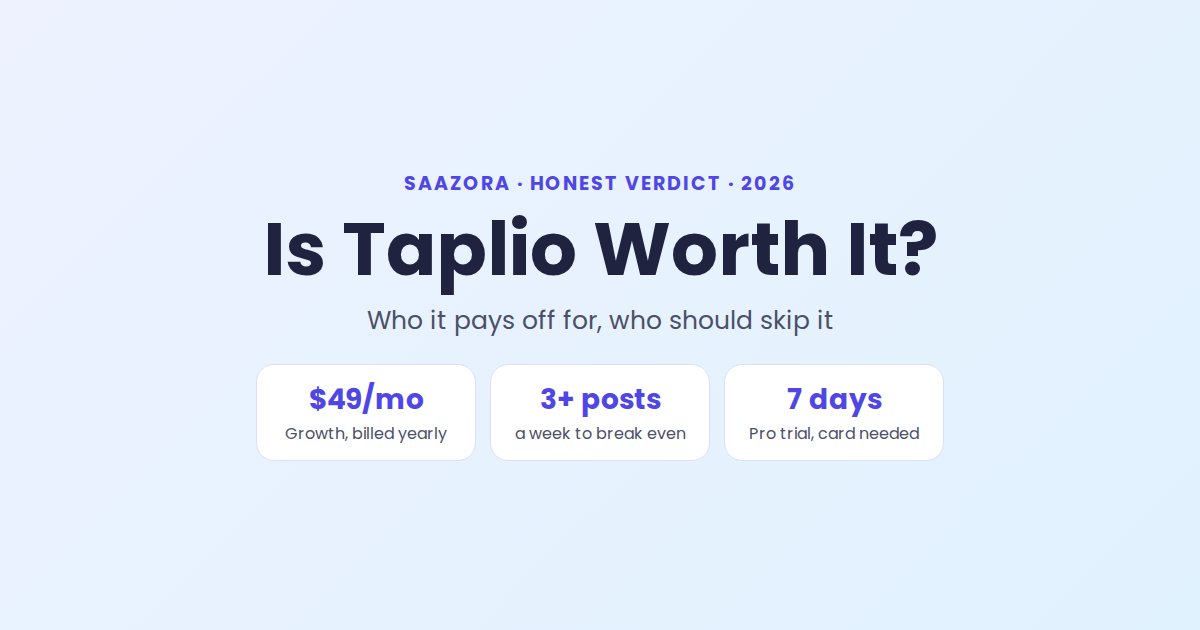
Short answer: Taplio is worth it if LinkedIn is a real sales or hiring channel for you, you post at least three times a week, and you will use its AI and lead tools, which start on the $69 Growth plan. It is not worth it if you write every post yourself, post once a week or less, or only need a scheduler: cheaper tools and LinkedIn's own free scheduler cover that. The 7-day trial is the honest test, but it needs a card, so set a reminder before it converts.
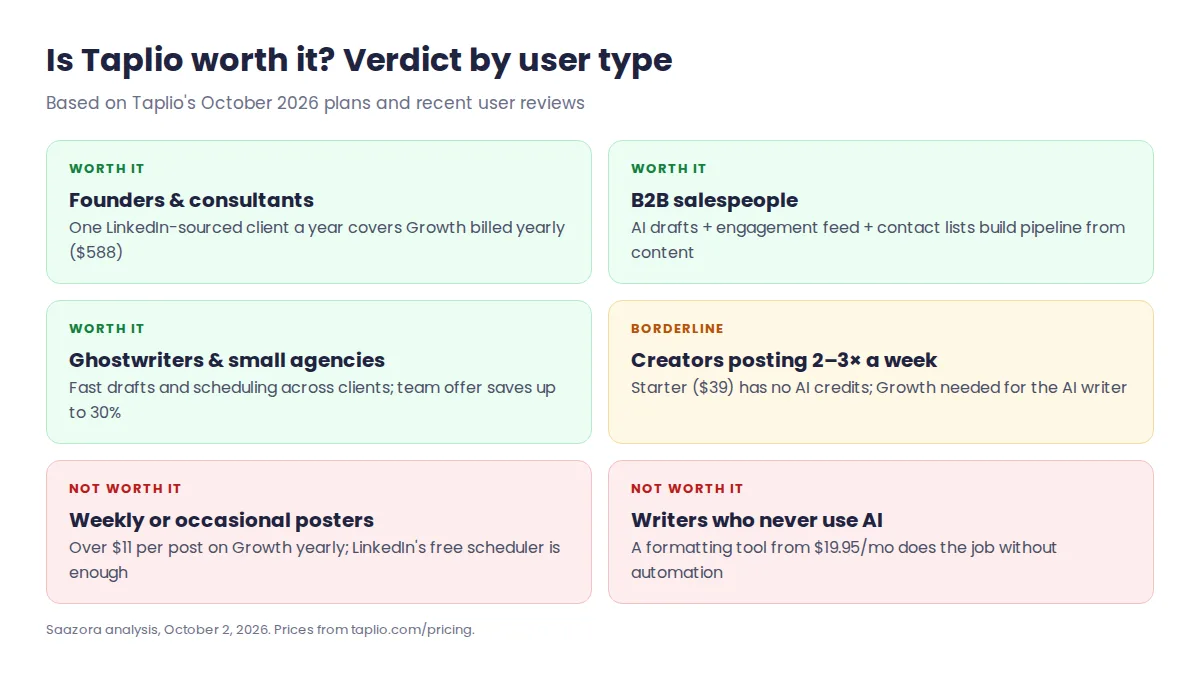
When Taplio pays for itself
Taplio's value is not the scheduler. It is the combination of an AI writer trained on a library of more than 5 million LinkedIn posts, a feed for finding people to engage with, and lead tools that turn post engagement into a contact list. You only get the first two on Growth ($69 a month, or $49 billed yearly), which includes 250 AI credits and 500 comment credits a month. The lead database and automated DMs are on Pro ($199 a month).
So the useful question is what one extra client, hire or partnership from LinkedIn is worth to you. A consultant whose average deal is $3,000 needs one LinkedIn-sourced deal a year to cover Growth billed yearly ($588). A recruiter filling one role from inbound messages covers it many times over. Someone posting for personal branding with no commercial goal will struggle to justify $49 to $69 a month.
- Worth it: founders and consultants selling high-value services, B2B salespeople building a pipeline from content, ghostwriters and small agencies who need drafts fast.
- Borderline: creators posting 2 to 3 times a week who mostly need ideas, not leads. Starter ($39) has scheduling and analytics but no AI credits at all.
- Not worth it: people posting weekly or less, writers who never use AI drafts, and anyone who only needs to schedule posts.
What you actually get for the money
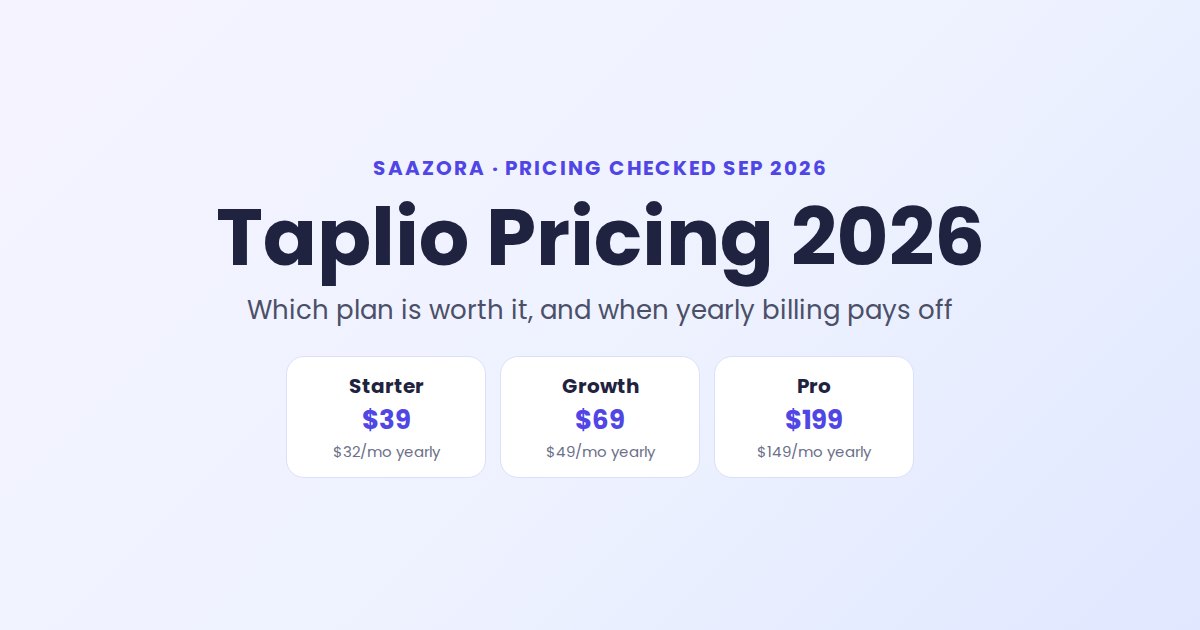
| Plan | Monthly | Billed yearly | What makes it worth paying for |
|---|---|---|---|
| Starter | $39 | $32 a month | Scheduling, analytics, viral-post library, formatting. No AI credits, no comment credits. |
| Growth | $69 | $49 a month | 250 AI credits and 500 comment credits a month, Zapier, contact lists, auto-reply to comments. |
| Pro | $199 | $149 a month (as shown on the page) | Unlimited AI and comment credits, lead database, auto-DMs and bulk connection requests. |
Two things to know before you compare. First, Starter is the plan most people expect to be "Taplio", but without AI credits it is mainly a scheduler with good analytics. Second, Taplio's own pricing page is inconsistent on Pro yearly: it shows $149 a month next to a $1,188 annual total, which works out to $99 a month. Confirm the total at checkout. Our Taplio pricing breakdown covers when yearly billing pays off.
What users say after paying
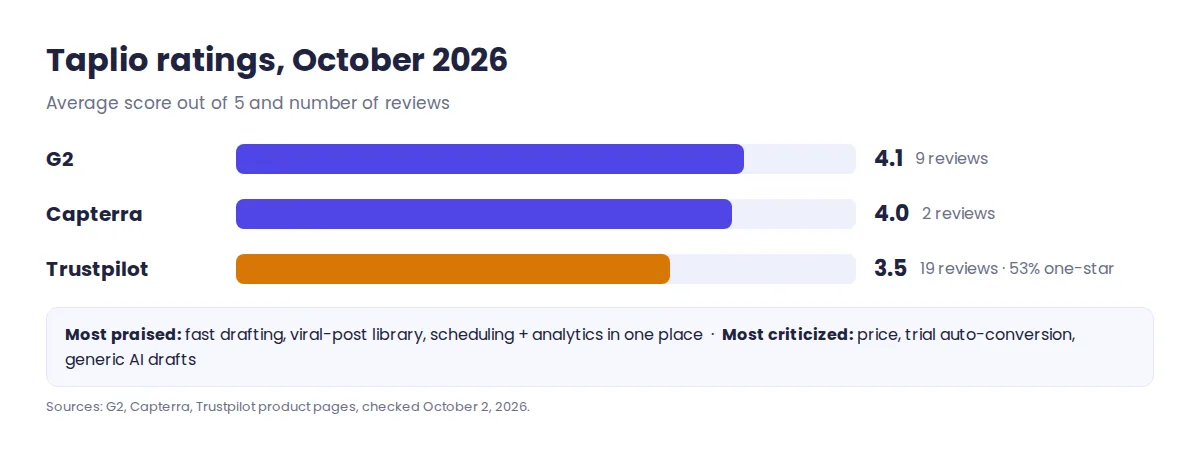
Taplio has fewer public reviews than its reputation suggests. On G2 it scores 4.1 out of 5 from 9 reviews, Capterra shows 4.0 from 2, and Trustpilot is split, at 3.5 from 19 reviews with more one-star than five-star ratings. The pattern behind those numbers is consistent:
- Praised: fast post drafting, the inspiration library, scheduling and analytics in one place, and responsive support.
- Criticized: the price, being charged when the trial converts, AI drafts that sound generic and need editing, and occasional bugs.
The billing complaints are worth taking seriously because they are avoidable. The trial gives full Pro access for 7 days but requires choosing a plan and adding a card. Taplio offers a 30-day money-back guarantee, including if you forget to cancel the trial, so request a refund quickly if it converts by mistake.
The risk nobody puts on the pricing page
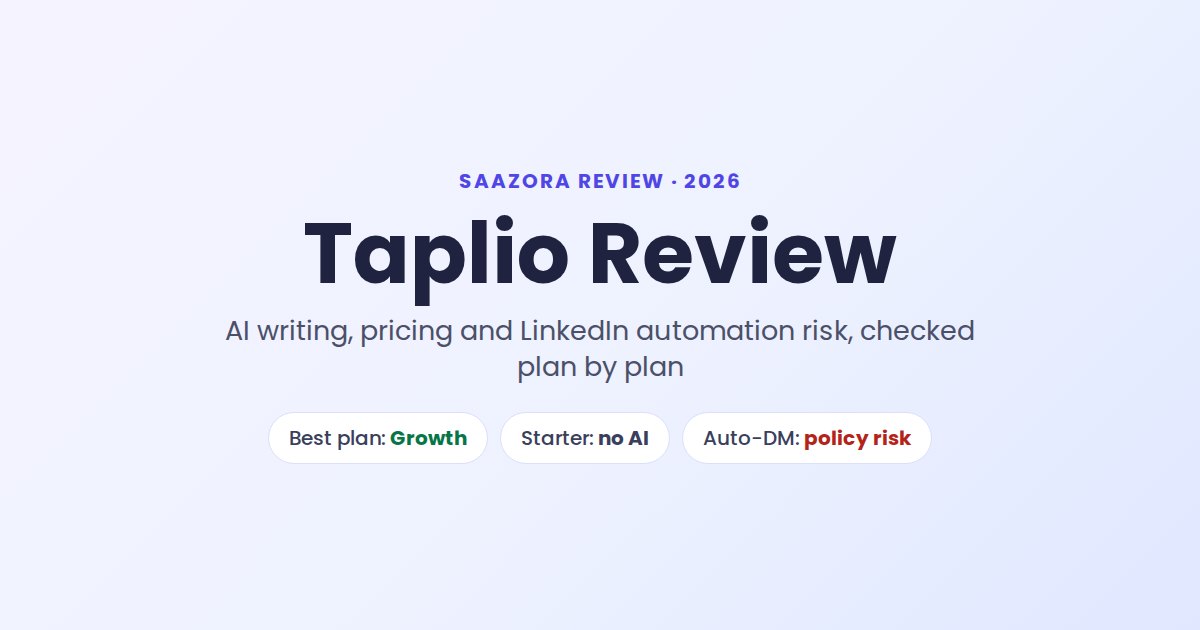
LinkedIn's terms prohibit automated activity, and Taplio's Pro features include automated DMs and bulk connection requests. Taplio says it behaves like a real user, and we found no public case of someone banned just for scheduling posts or using the AI writer. But LinkedIn has restricted accounts that use engagement automation, and Taplio's own founder reported a suspension of his personal account in 2024. Our advice: scheduling and AI drafting carry little risk; use automated outreach sparingly, on an account you can afford to have restricted.
Cost per post: the number that settles it
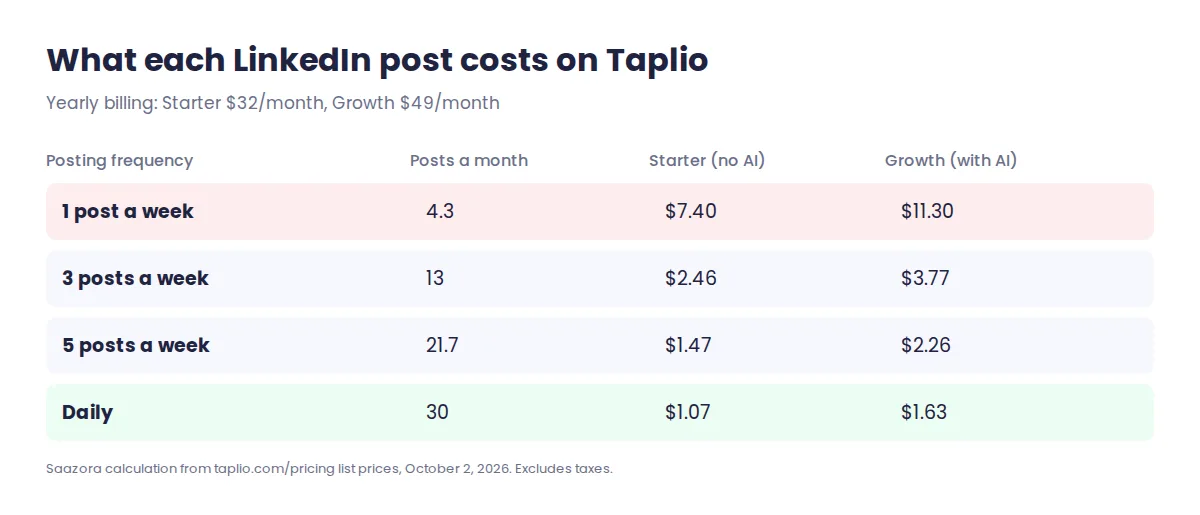
On Growth billed yearly ($49 a month), posting three times a week works out to about $3.80 per post. At once a week it is over $11 per post, which is hard to justify against writing in LinkedIn directly. At daily posting it falls to around $1.60. If you are below three posts a week, either stay on Starter or use a cheaper writing tool and LinkedIn's native scheduler.
Cheaper options if Taplio is too much
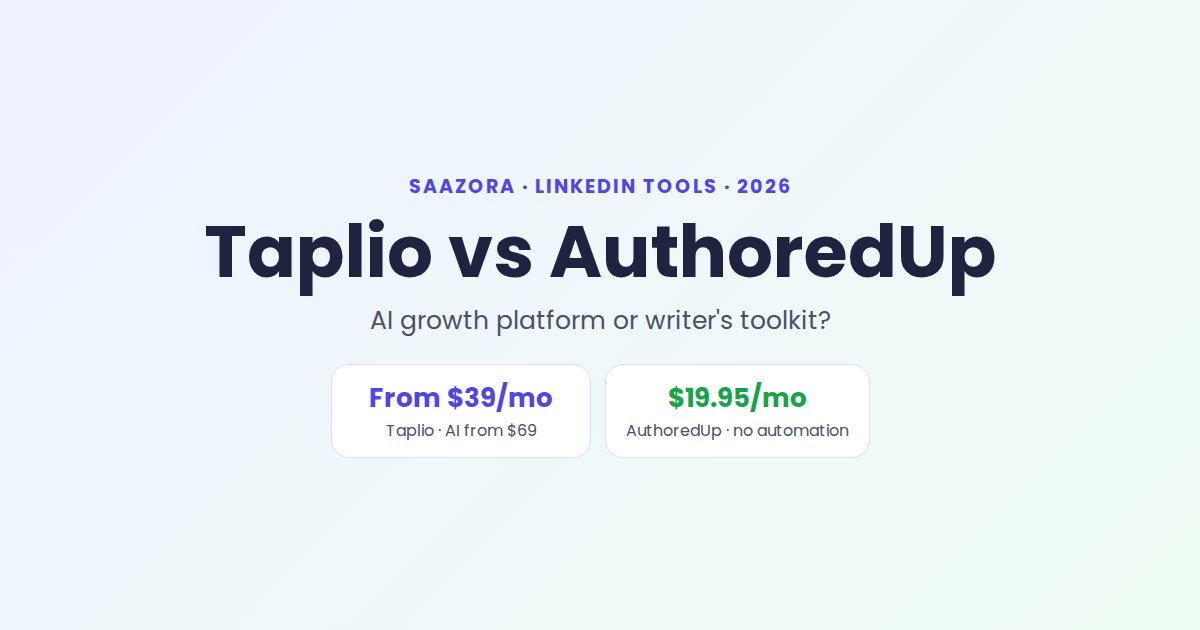
- You write your own posts: a formatting and scheduling tool such as AuthoredUp costs from $19.95 a month and has no automation. It suits people who write every post themselves.
- You only need scheduling: LinkedIn's built-in scheduler is free.
- You want Taplio's AI on a budget: pay Growth yearly, which is 29% cheaper than monthly, and skip Pro unless you will use the lead database every week. Current offers are on our Taplio deals page.
Is Taplio worth it? Questions people ask
Is Taplio worth it for beginners?
Only if you plan to post consistently. Beginners benefit most from the inspiration library and AI drafts, which need Growth at $49 to $69 a month. If you are still testing whether LinkedIn works for you, start with free tools for a month first.
Is the Taplio free trial really free?
It is free for 7 days with full Pro access, but you must pick a plan and add a card, and it converts automatically. Cancel in Settings, Billing before day 7, or use the 30-day refund window if you forget.
Can Taplio get my LinkedIn account banned?
Scheduling and AI writing are low risk. Automated DMs and bulk connection requests on Pro break LinkedIn's rules on automation, so they carry real risk of restriction. Use them carefully or not at all.
Is Taplio better than writing posts myself?
It is faster, not better. Reviewers consistently say AI drafts need editing to sound like you. Taplio saves the most time on ideas, formatting and scheduling, and on finding people to engage with.
If LinkedIn is a growth channel for you, try Taplio for 7 days with the full Pro feature set, and decide on your plan once you know how many credits you really use. For the full feature tour, read our Taplio review.
How we reached this verdict
We checked Taplio's pricing page and FAQ on October 2, 2026, read every recent review on G2, Capterra and Trustpilot, and compared Taplio's plans with alternatives in the LinkedIn tools category. Cost per post is our own calculation from list prices. See how we review software.
Research-based review: we did not receive payment or free access from Taplio for this article.