Last checked October 16, 2026 · Research-based guide, not hands-on testing
Saazora may earn a commission if you sign up through some links on this page, at no extra cost to you.
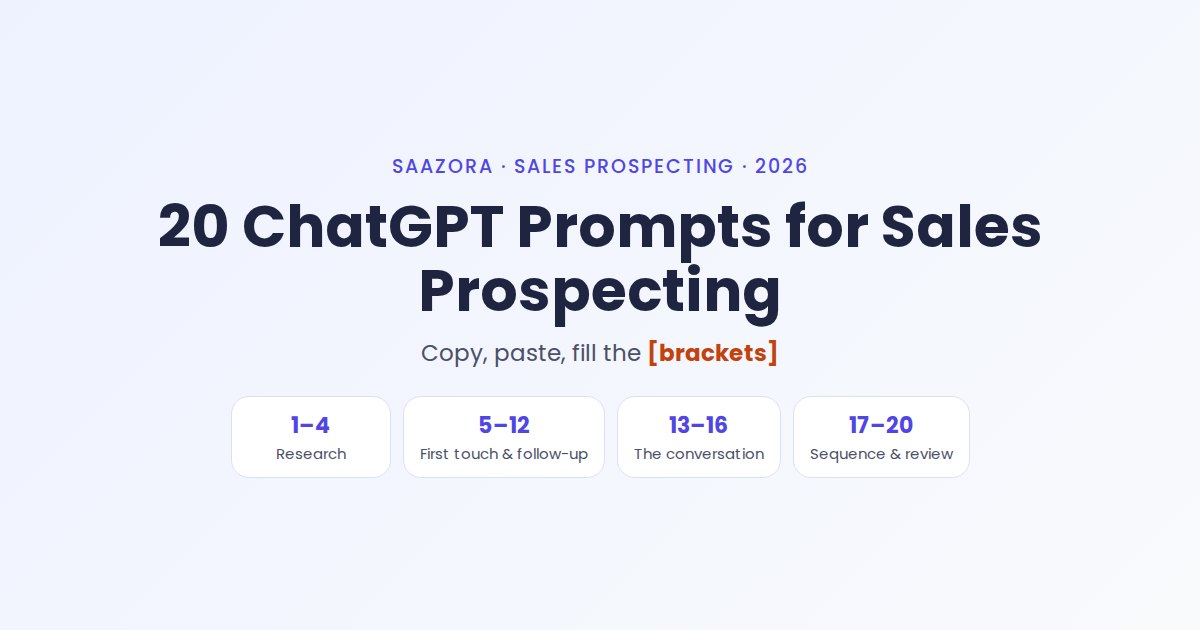
These 20 ChatGPT prompts for sales cover one full prospecting cycle: pick the buyer, research the account, write the first touch, follow up, prepare the call and review the week. Each one is copy and paste. Replace the [brackets] with your own details and paste it into ChatGPT.
Most lists of ChatGPT prompts for sales stop at the prompt. This one adds the eight inputs all 20 depend on, what a good answer looks like, and what never to paste into a chatbot. If you are still choosing the tools around ChatGPT (contact data, sequencing, CRM), start with Saazora's sales prospecting tool reviews.
How to get usable output from ChatGPT prompts for sales
Treat ChatGPT as a fast first-draft writer, not a researcher who knows your prospect. The prompts fall into four stages, with a check between them that only you can do.
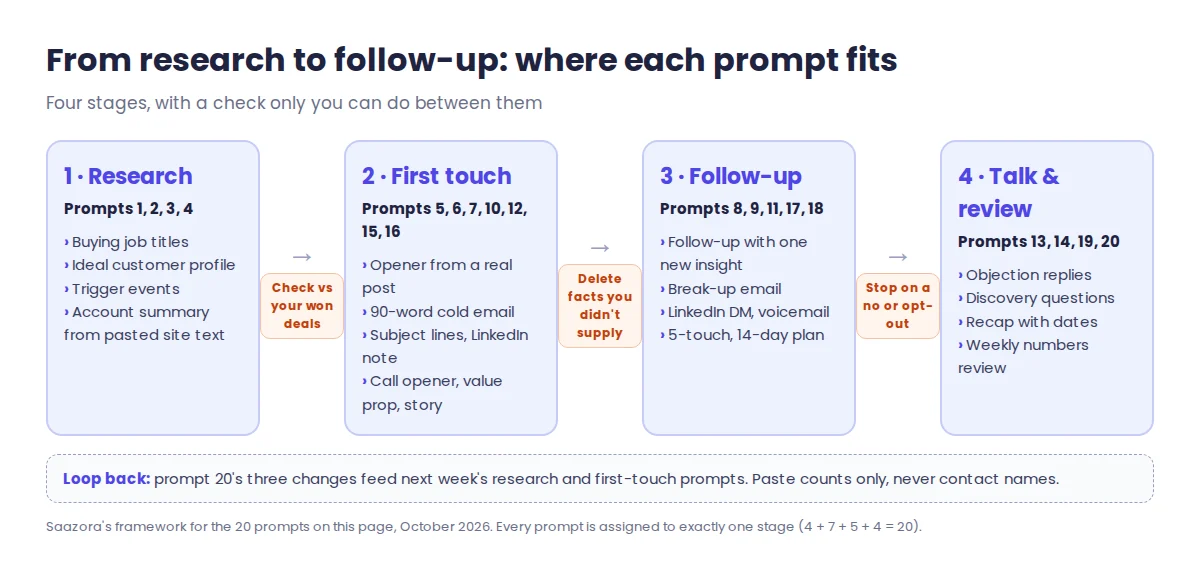
- Research (prompts 1 to 4). Titles, a customer profile and triggers from general knowledge. Check them against your won deals.
- First touch (5 to 7, 10, 12, 15, 16). Personalize from something real you pasted in. If a draft states a fact you did not supply, verify it or delete it.
- Follow-up (8, 9, 11, 17, 18). Each touch adds one new reason to reply.
- Talk and review (13, 14, 19, 20). Prepare the call, send the recap, feed real numbers back.
Two habits help almost every answer: keep one chat per account so the context stays together, and when a draft is close, ask for a specific edit ("cut it to 60 words") instead of starting over.
Fill the brackets first: 8 inputs behind all 20 prompts
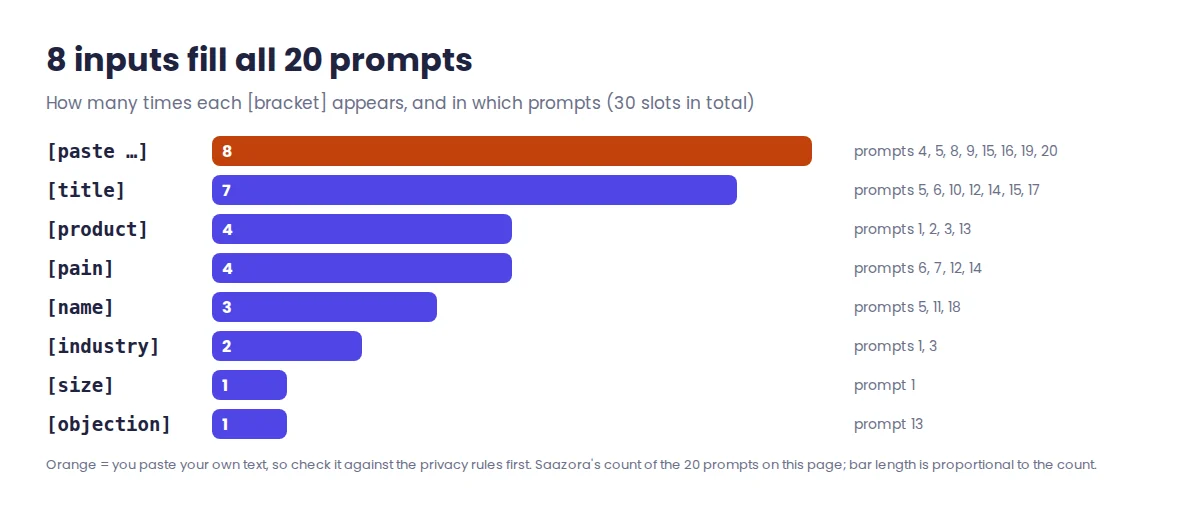
The 20 prompts contain 30 bracketed slots, but only eight different inputs. Write those eight down once and every prompt becomes a ten-second fill-in.
| Bracket | Used in prompts | Too vague | Specific enough |
|---|---|---|---|
| [paste ...] | 4, 5, 8, 9, 15, 16, 19, 20 | "their website" | The About and product page text, copied in |
| [title] | 5, 6, 10, 12, 14, 15, 17 | "decision maker" | "Head of Revenue Operations" |
| [product] | 1, 2, 3, 13 | "our software" | One sentence: what it does and for whom |
| [pain] | 6, 7, 12, 14 | "efficiency" | "reps type up call notes by hand after every meeting" |
| [name] | 5, 11, 18 | Full name and company | First name only |
| [industry] | 1, 3 | "tech" | "US dental clinic groups" |
| [size] | 1 | "SMB" | "20 to 200 employees" |
| [objection] | 13 | "price" | The prospect's exact words: "We already track this in a spreadsheet" |
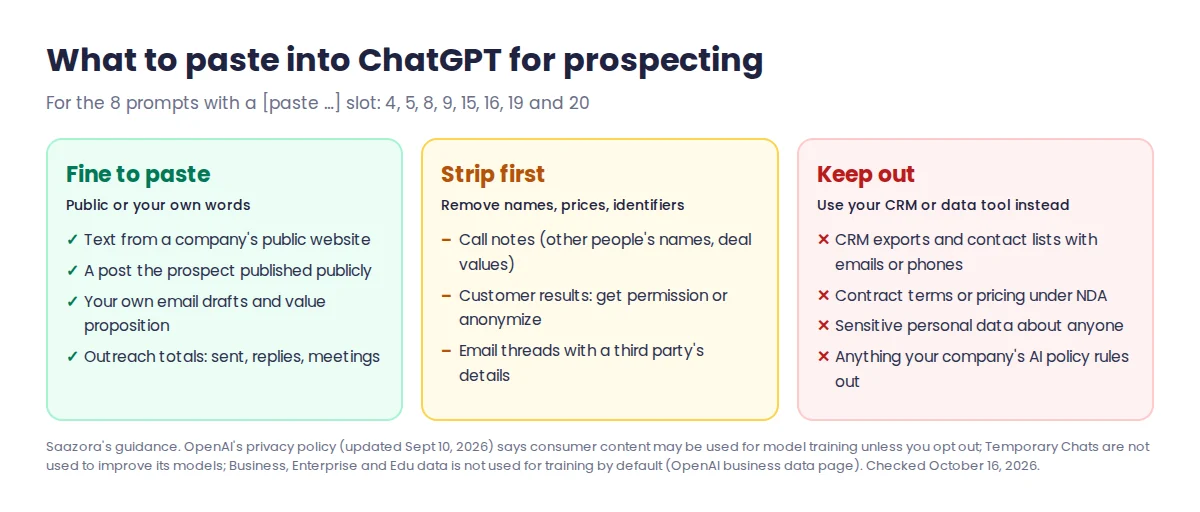
The more specific the bracket, the less generic the output: "efficiency" gets a template anyone could have sent, a concrete pain gets a message written for one person. Eight of the 20 prompts ask you to paste text, so the privacy rules further down apply to almost half the list.
Research prompts: who buys and why now (1 to 4)
1. Find the buyer
List 10 job titles that usually buy [product] at a [industry] company with [size] employees.
Why it works: the buyer changes with size: in a 20-person firm the founder often signs, at 500 a department head and a budget owner. Good output: ten titles. Then ask which of them sign and which use the product daily.
2. Ideal customer
Write an ideal customer profile for [product]: industry, size, pains, triggers and objections.
Why it works: five named fields force a complete profile instead of a vague persona. Good output: five labelled sections. Then describe your best customers by type (no names) and ask what is missing.
3. Trigger events
What 8 events signal a [industry] company may need [product] in the next 90 days?
Why it works: a trigger, such as a hiring push, a new location or a new leader, gives you a reason to write this month rather than any month. Good output: eight event types, ideally with where each one shows up. Finding which companies have them is a job for news alerts or a data tool.
4. Account research
Summarize this company's website in 5 bullets a salesperson can use on a first call: [paste text].
What to paste: the homepage, About and product page text, copied as plain text. Pasted text keeps the summary tied to what the company says, so you can check each bullet. Good output: five bullets, each usable as a question on the call.
First-touch prompts: openers, cold emails and subject lines (5 to 7)
5. Personal opener
Write a one-line cold email opener for [name], [title], based on this post: [paste post].
What to paste: one public post the person wrote, not a summary of their profile. Good output: one sentence that picks up a specific point from the post. Ask for three versions and keep the one that sounds least like flattery.
6. Cold email
Write a 90-word cold email to a [title] about [pain]. One question as the CTA.
Why it works: a word cap and a single question keep the email readable on a phone and easy to answer. Good output: a short body that ends with one question the reader can answer in a line. Add your opener from prompt 5 and trim back to about 90 words.
7. Subject lines
Give me 10 cold email subject lines under 5 words for [pain]. No clickbait.
Why it works: short, plain subjects read like a note from a person. "No clickbait" is also a legal point: US law requires subject lines that match the message (see the rules section below). Good output: ten options. Drop any that start with a fake "Re:" or "Fwd:".
Follow-up prompts that add something new (8 and 9)
8. Follow-up
Write a short follow-up to my email below that adds one new insight: [paste email].
Why it works: "just bumping this" gives the reader no reason to reply; a new insight does. Add a real one (a customer result) after the email if you have it. Good output: two to four sentences. If ChatGPT invents a statistic, cut it.
9. Break-up email
Write a polite last follow-up that makes it easy to say no: [paste thread].
Why it works: it makes a reply cheap. A no is as easy to send as a yes, and either one ends the guessing. Good output: a short, friendly close with no guilt-tripping. If the answer is no, stop and remove the contact from the sequence.
LinkedIn and phone prompts (10 to 12)
10. LinkedIn request
Write a 200-character LinkedIn connection note to [title] that doesn't pitch.
Why it works: a note that pitches before the person accepts reads as spam. Good output: one or two sentences about a shared topic. Check the character count; models often miss exact limits. If LinkedIn is your main channel, our LinkedIn tools hub covers the tools built for it.
11. LinkedIn DM
Write a friendly LinkedIn message after [name] accepted my request. Ask one question.
Why it works: one question about their work starts a conversation; a pitch ends it. Paste your connection note below the prompt so the message follows on from it. Good output: two or three sentences ending in a question.
12. Call opener
Write a 20-second cold call opener for a [title] about [pain].
Why it works: twenty seconds is roughly 50 spoken words, which forces you to say who you are, why you are calling and what you are asking for. Good output: those three parts, ending with a permission question. Read it aloud and time it.
Prompts for the conversation itself (13 to 16)
13. Objection
Give me 3 calm replies to the objection "[objection]" for [product].
What to paste: the objection word for word. Good output: three different approaches, such as agree and narrow, ask a question, reframe the cost. Keep the one you would say out loud.
14. Discovery
List 12 discovery questions for a first call with a [title] about [pain].
Why it works: you will use four or five, so twelve gives choice. Good output: open questions, not yes/no. Ask ChatGPT to order them from easiest to most sensitive.
15. Value prop
Rewrite my value proposition in plain words a [title] would say: [paste].
Why it works: buyers describe problems in their own words, not in your homepage's. Good output: one or two sentences without jargon. Test it: could the prospect repeat it to their boss?
16. Case study
Turn these results into a 3-sentence customer story for a cold email: [paste].
What to paste: real results only, with the customer's permission to name them, or anonymized ("a 40-person HVAC company"). Good output: situation, change, result. Check that ChatGPT did not round your numbers up.
Sequence, voicemail and weekly review prompts (17 to 20)
17. Sequence
Plan a 5-touch outreach sequence over 14 days for [title]: email, LinkedIn and call.
Good output: a day-by-day plan; ask for it as a table. Then draft each touch with its own prompt (6, 8, 10, 11, 12, 18) so every step keeps its limits.
18. Voicemail
Write a 15-second voicemail for [name] that gives a reason to call back.
Good output: your name, the reason, your number said slowly, and a line saying you will also send an email so the next touch is recognized.
19. Meeting recap
Turn these call notes into a recap email with next steps and dates: [paste notes].
What to paste: your notes with other people's names, prices and anything confidential removed first. Good output: a short summary, then next steps with an owner and a date each. Check every date against your calendar; where notes are vague, the model fills gaps with plausible-looking ones.
20. Weekly review
Here are my outreach numbers this week: [paste]. What are 3 things to change next week?
What to paste: counts only: emails sent, replies, positive replies and meetings booked, ideally split by sequence or subject line. No contact names. Good output: three changes, each tied to a number you gave. Ignore advice that is not.
What to keep out of ChatGPT when prospecting
Decide what is safe to paste before you use these ChatGPT prompts for sales. OpenAI's privacy policy (updated September 10, 2026) says it may use the content you provide to train the models that power ChatGPT, and it links instructions for opting out. The same policy says Temporary Chat conversations do not appear in your history and are not used to improve OpenAI's models. OpenAI's business data page says that by default it does not train on data from ChatGPT Business, Enterprise or Edu, or from its API platform. Your company's AI policy comes first.
One more limit: ChatGPT is not a contact database. OpenAI says it trains its models to decline requests for private information about real people, such as addresses or contact details. Don't ask it for a prospect's email address, and don't trust one it produces. Verified contacts come from data tools; our shortlist of prospecting tools for small teams compares several, including RocketReach's plans and cost per lookup and FullEnrich's credit packs priced per email. FullEnrich's pricing page lists 50 free credits with no credit card, and a work email costs 1 credit, so you can run up to 50 work-email lookups on FullEnrich free (affiliate link) before you pay for anything.
Keeping AI-written outreach inside OpenAI's rules and US email law
OpenAI's usage policies (effective October 29, 2025) do not allow its services to be used for "deceit, fraud, scams, spam, or impersonation", and they rule out attempts to aggregate, monitor or profile people's private or sensitive information without authorization. The prompts on this page are written for the opposite: one honest message at a time, based on public or permitted information, reviewed and sent by you under your own name. Don't use them to fake familiarity ("as we discussed"), pose as someone else, or build files on individuals.
US cold email also falls under the CAN-SPAM Act, and the FTC's compliance guide says "the law makes no exception for business-to-business email." Its main rules for commercial email: accurate From and header information, a subject line that matches the content, identifying the message as an ad, a valid postal address, a clear way to opt out, and honoring opt-outs within 10 business days. That is a summary of the FTC's guidance, not legal advice. If replies dry up, our guide on why outreach emails land in spam walks through the sender rules and fixes.
Where these prompts and rules come from
The 20 prompts are Saazora's own and the bracket counts are our tally of them. The "good output" notes describe the shape a useful answer should take, not test results; we did not measure reply rates. Policy statements come from OpenAI's pages and the FTC's guide, and FullEnrich's free credits from its pricing page, all read on October 16, 2026. ChatGPT plan prices and limits change often, so they are left out. See how Saazora researches and reviews tools for how we check claims.
Sources (checked October 16, 2026): OpenAI, "Usage policies" (effective October 29, 2025); OpenAI, "Privacy policy" (updated September 10, 2026); OpenAI, consumer privacy page; OpenAI, "Business data privacy, security, and compliance"; Federal Trade Commission, "CAN-SPAM Act: A Compliance Guide for Business"; FullEnrich pricing page.
Research-based guide: no vendor paid for or reviewed this article.