Research-based review, not hands-on testing · Features, plan gates and limits checked on circle.so and Circle's help center, October 22, 2026 · Prices in US dollars
The short version of this Circle review: Circle is a strong buy when the community is the product and your courses, live calls and paid tiers hang off it, and a poor buy if you mainly need sales funnels, a cheap way to test an idea, or your own branded app without an enterprise contract. It puts discussion spaces, a course builder, live streams, Stripe-powered paywalls and optional email marketing behind one member login, starting at $89 a month on annual billing.
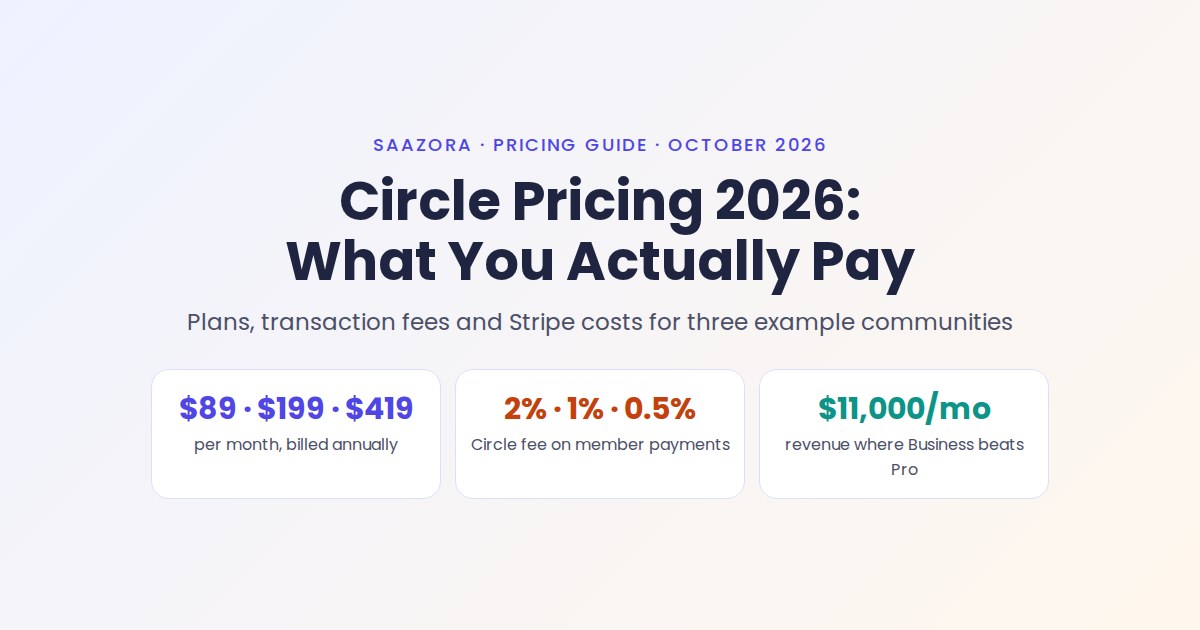
Below we map which features sit on which plan, show where the course and mobile tools stop short, summarise what G2 and Capterra reviewers keep repeating, and say when Skool, Kajabi, Mighty Networks or Kartra is the better fit. The full fee math (Stripe plus Circle's cut, priced out for three example communities) lives in our Circle pricing breakdown with worked fee examples, and the other tools in this niche are collected in our course and community platform reviews hub.
Circle at a glance: strong spots and hard limits
Each row pairs what Circle does well with the limit you are most likely to run into first.
| Area | What Circle gives you | Where it stops |
|---|---|---|
| Community spaces | Six space types (posts, events, images, chat, courses, members), each open, private or secret, grouped in a sidebar | 20 spaces on Professional, and every course uses one of them |
| Courses | Self-paced, structured or scheduled courses, section drip, quizzes, lesson comments, progress dashboard | Drip works per section only; quizzes are multiple choice; no certificate feature found in the help center |
| Live events | Built-in live streams and live rooms, RSVPs, reminders, replays with transcripts and summaries | 10 live hours a month and 15-person live rooms on Professional |
| Payments | Subscriptions, one-time prices, trials, installments, coupons and bundles in 25+ currencies | Stripe is the only processor; Circle adds 2% on Professional |
| Email Hub: broadcasts, automations, forms, segments and a CRM that includes non-members | Paid add-on on every self-serve plan | |
| Automation and AI | Circle AI credits on every plan, workflows from Business, AI agents from Scale | Agents and AI workflows need the $419 plan |
| Mobile | Circle's iOS, Android and desktop apps on all plans | No member sign-up inside Circle's apps; your own app only on Circle Plus |
From circle.so/pricing, circle.so product pages and help.circle.so articles, checked October 22, 2026.
Saazora may earn a commission if you sign up through links on this page; it does not change what you pay. If the table already describes your business, you can start Circle's 14-day trial from its course page (affiliate link) without a card. Current offers are also listed on our Circle deals and trial page.
Spaces are the building block, and they decide your plan
Everything inside a Circle community is a space: a discussion board, a course, an event calendar, a chat room or a member directory. Circle's help center says courses "are created as spaces just like any other space type", so the number of courses you can run depends on your plan's space limit, not on a separate course allowance.
That matters more than it first appears, because Circle's help center suggests wrapping each course in a space group with an announcement space, an event space for live coaching and a chat space for students. Built that way, one program uses four spaces. Here is how far each plan stretches before you buy extra spaces at $20 a month per 10:
| Plan (annual billing) | Spaces included | Four-space programs that fit | Left over for a general community |
|---|---|---|---|
| Professional, $89/mo | 20 | 4 programs (16 spaces) | 4 spaces |
| Business, $199/mo | 30 | 6 programs (24 spaces) | 6 spaces |
| Scale, $419/mo | 100 | 24 programs (96 spaces) | 4 spaces |
Saazora calculation from the space limits on circle.so/pricing and the space-group example in Circle's "Courses overview" help article, October 22, 2026. Assumes four spaces per program and keeps at least four spaces for welcome, announcements and general discussion.
A coach with two or three programs sits comfortably on Professional. A course creator with a back catalogue of ten courses either flattens the structure (one shared chat and events space for all students) or moves up a plan.
How far the course builder goes
Circle's courses are built for learning alongside other members, not for selling a large catalogue of standalone video products. The help center documents three course types:
- Self-paced: every lesson unlocks on enrolment.
- Structured: sections drip a set number of days or weeks after each student joins, up to 999 days or 100 weeks.
- Scheduled: sections open on fixed dates for the whole group, which suits cohorts that start together.
Lessons take video, images, documents and embeds, students can comment on lessons and quizzes, and the course dashboard shows each student's progress. Circle can also email students when a dripped section opens. Since the June 2026 Circle Eclipse launch, Circle AI can draft a curriculum, lesson copy and quiz questions from a one-sentence description, which helps with a first outline but still needs editing.
Three limits are worth knowing before you migrate a course:
- Drip is per section. To release one lesson at a time, Circle tells you to give each lesson its own section.
- Quizzes are multiple choice only, with one or several correct answers. Editing a published quiz changes it only for students who have not yet submitted it.
- Certificates. We found no certificate or completion-badge article anywhere in Circle's help center index on October 22, 2026. If your course promises a certificate, plan a workaround or confirm with Circle first.
Moving an existing course is cheaper on bigger plans: Circle says it migrates course content and student data for free on annual Business plans and above, and moves active subscriptions and payment history for free as well.
Live events without a separate Zoom bill
Circle has two live formats. A live stream is a broadcast where only hosts and co-hosts are on camera and everyone else uses chat or raises a hand. A live room is a meeting where everyone can turn on a camera and mic. Both run inside the community, members join from the browser or the apps, and recordings can be posted as replays with searchable transcripts and AI summaries.
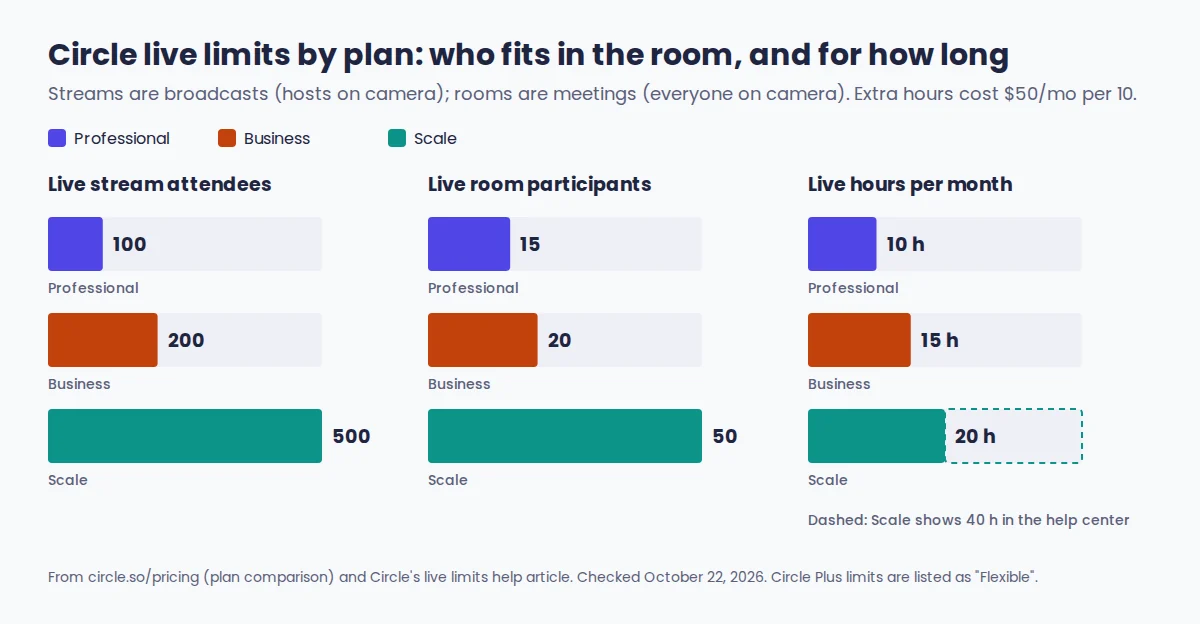
The hours cap is the one to plan around. Professional includes 10 live hours a month. A weekly 90-minute group call (6 to 7.5 hours, depending on whether the month has four or five weeks) plus one two-hour workshop fits; two weekly 90-minute calls (12 to 15 hours) do not, and extra time costs $50 a month per 10 hours. Scale's allowance is listed as 20 hours on the pricing page but 40 in the help center's live limits article, so ask Circle which applies before you rely on the higher number.
Recent releases filled in gaps that used to push hosts back to Zoom: non-members can RSVP to public events and join live, with the sign-up captured as a lead (February 2026), and live sessions gained breakout rooms in September 2026. Circle still lists a Zoom integration for anyone who prefers it.
Email Hub, workflows and AI: which plan unlocks what
The same features appear in every plan's marketing, but the switches sit at different price points. This is the gate map that decides most upgrades:
| Feature | Professional | Business | Scale | Circle Plus |
|---|---|---|---|---|
| Email Hub (broadcasts, automations, CRM) | Paid add-on | Paid add-on | Paid add-on | Included, 10,000 contacts |
| Branded sending domain for Email Hub | No | Yes | Yes | Yes |
| Workflows (automations) | No | 20 | Unlimited | Unlimited |
| API access and Circle MCP | No | Yes | Yes | Yes |
| Circle AI credits per month | 2,500 | 2,500 | 5,000 | Maximum |
| AI Agents and AI Workflows | No | No | Yes | Yes |
| Webhooks and custom SSO | No | No | Yes | Yes |
| Remove Circle branding | No | Yes | Yes | Yes |
| Your own iOS and Android app | No | No | No | Yes |
From circle.so/pricing, Circle's pricing reference file and the Email Hub page FAQ, checked October 22, 2026.
Email Hub starts at $19 a month on top of the plan, with the first 30 days free. It can email contacts who never joined the community, run sequences triggered by community actions such as an event RSVP, and embed sign-up forms on outside sites. New communities start with conservative sending limits that rise as your sender reputation builds, so a big launch broadcast in week one may need a support request. If you are importing an old list, our guide to keeping broadcasts out of the spam folder covers the checks worth running before the first send.
AI Agents are the clearest reason to consider Scale. You can run up to 10 agents per community, train each on chosen spaces, courses, posts and uploaded files, limit who can talk to them, and set "Pause AI" keywords that hand sensitive topics to an admin. Agents are created and managed only on the web or desktop app. Circle says community data is not used to train models. One inconsistency: the AI agents page FAQ still says agents are included for Circle Plus "at no additional cost in 2025", while the pricing page and a September 2026 help article list them on Scale and Circle Plus.
The mobile app gap most reviews skip
Every plan includes Circle's own iOS and Android apps plus a Mac and Windows desktop app, and that is often listed as a plus with no detail. Circle's help center article comparing desktop and mobile (updated September 2026) shows several limits that change how you run onboarding and sales:
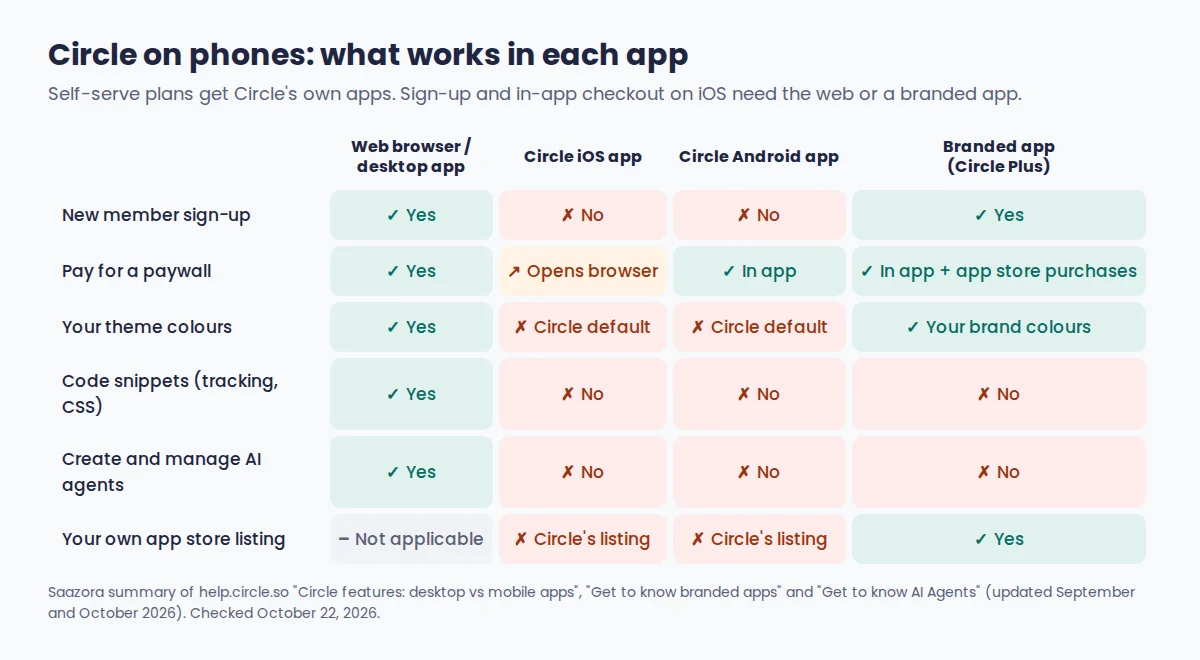
- New members cannot sign up inside Circle's apps. They join on the web, then log in to the app with their email and a one-time code.
- On Circle's iOS app, tapping a paywall button sends the member to a mobile browser to pay. Android keeps checkout inside the app.
- Your custom theme only shows in browsers. Circle's apps keep the default Circle look, and code snippets such as tracking scripts only run on the web.
- Members who belong to several Circle communities switch between them in the same app, so other communities sit one tap away from yours.
Circle Plus removes most of this with a branded app that supports sign-ups, in-app checkout and in-app purchases through Apple and Google, and Circle's team handles design, store submission, launch and updates. It needs a custom domain for deep links and push notifications, custom CSS does not carry over, and Plus is priced through sales. On self-serve plans, the workaround is simple: send people to sign up and pay on the web, then point them to the app.
What G2 and Capterra reviewers report
User ratings are high, with a consistent set of complaints. On October 22, 2026, Circle's G2 listing showed 4.5 out of 5 from 531 reviews, in the Online Community Management and Online Learning Platform categories. Capterra showed 4.7 out of 5 from 48 reviews, with 4.7 for ease of use and 4.6 for customer service (page updated October 19, 2026); Capterra's India listing of the same 48 reviews scores value for money at 4.4, the lowest of the sub-scores. Capterra's listing still shows a $49 starting price, which no longer matches Circle's own page.
Across the reviews shown on those pages, praise centres on spaces that keep content separated, an interface reviewers call intuitive, and responsive onboarding and support. Repeated complaints:
- Admin settings that one G2 reviewer calls "convoluted and difficult to navigate".
- The cost of automation: one G2 reviewer writes that "you pay around 2K annually just to get 20 workflows", which matches Business at $199 a month billed yearly.
- No low-cost plan for testing an idea, raised by a Capterra reviewer who moved to a cheaper tool.
- A landing page builder that trails the community features, and Stripe as the only payment option.
These are other people's experiences summarised from public review pages, not Saazora test results, and 48 reviews is a small sample.
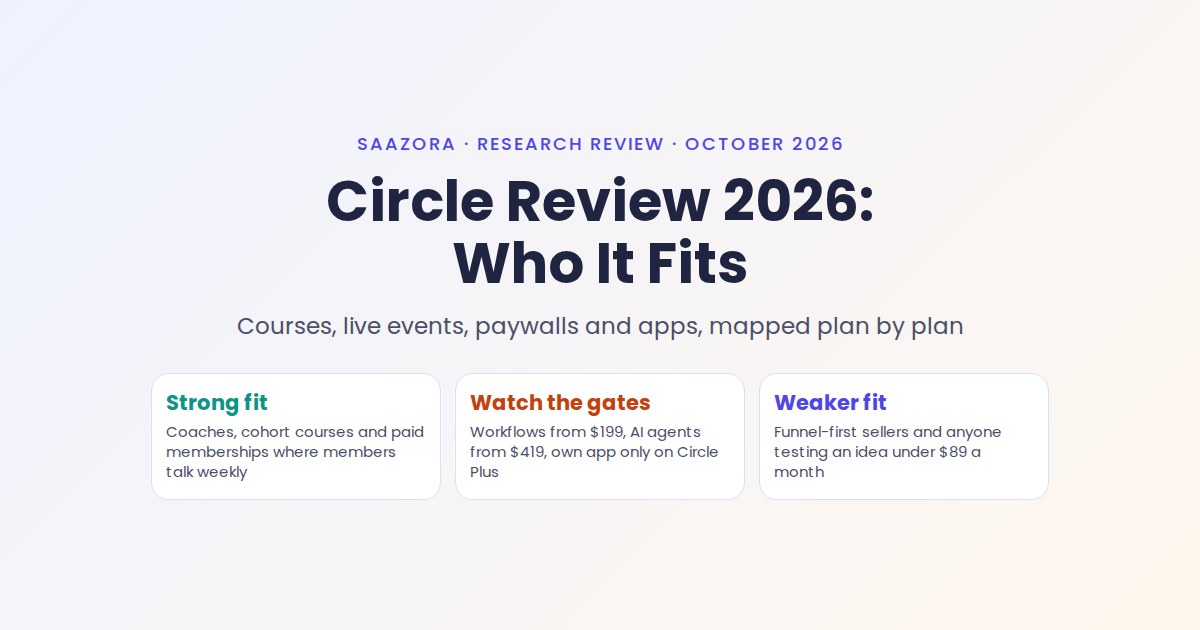
Who Circle fits, and who should skip it
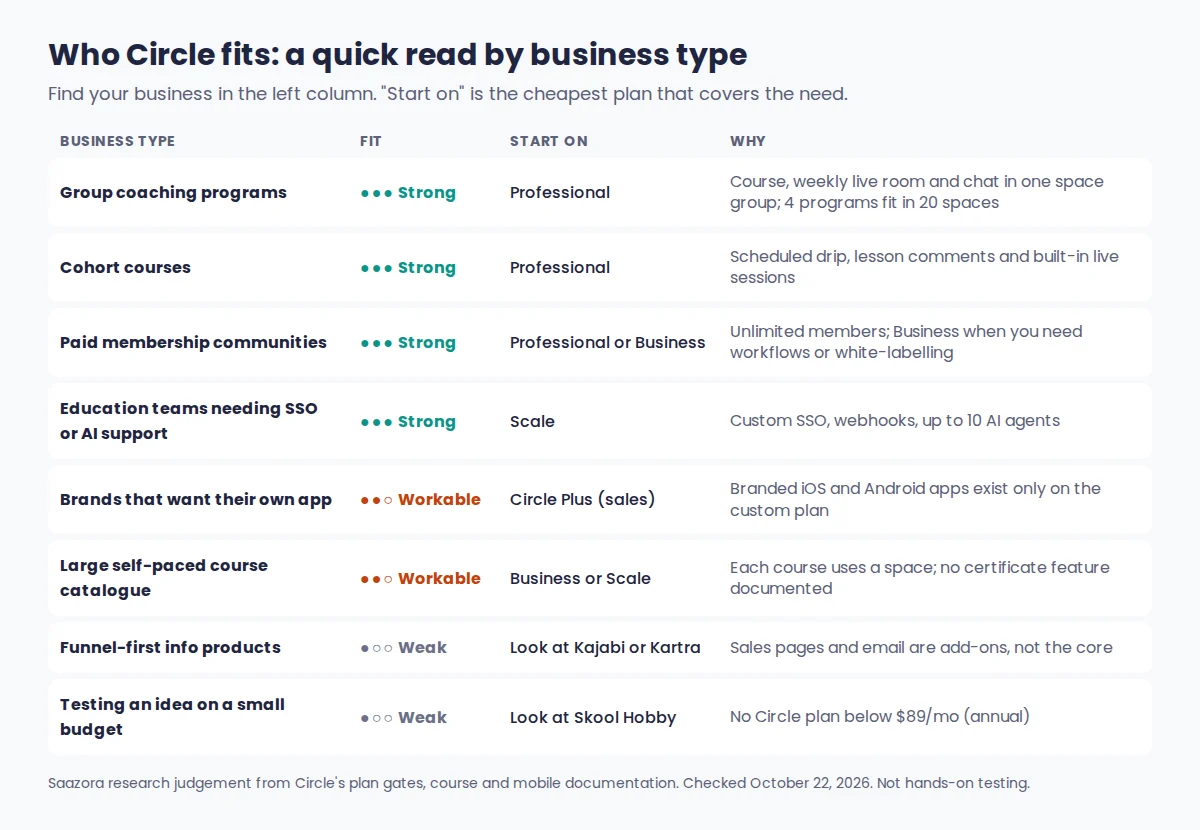
Circle fits:
- Coaches running group programs. A course, a weekly live room and a chat space sit in one space group, and Professional holds four such programs.
- Paid memberships where discussion is the product. Unlimited members on every plan means the bill grows with revenue and add-ons, not headcount.
- Cohort courses. Scheduled drip, lesson comments and built-in live sessions suit groups that move through material together.
- Education businesses and brands that need control. Scale adds SSO, webhooks and AI agents for support; Circle Plus adds your own app.
Skip Circle if:
- You want to test a community idea for less than $89 a month.
- Your business runs on sales funnels, upsell pages and email first, with community as an extra.
- You need your own app store listing on a small budget.
- Your courses must issue certificates or use question types beyond multiple choice.
- You need a payment processor other than Stripe.
If you land in the first list, the useful trial test is structural: build one full program space group, schedule a live session and run a test checkout during a free Circle trial (affiliate link), then check the plan usage page to see which limits you are near.
Where Circle is strong and where it falls short
| Strengths | Weaknesses |
|---|---|
| One login for community, courses, events, chat and payments | No free plan; entry is $89 a month on annual billing |
| Unlimited members on every plan | 2% transaction fee on Professional, on top of Stripe |
| Native live streams and rooms with replays and transcripts | Workflows, API access and branding removal start at $199 |
| Three course types with drip and lesson discussion | AI agents and AI workflows need Scale at $419 |
| Frequent releases: MCP (April), AI website builder (August), breakout rooms (September 2026) | Email Hub is an extra charge on every self-serve plan |
| Free migration of subscriptions and payment history | Circle's apps lack sign-up and keep Circle's theme; branded app only on Plus |
| Payments in 25+ currencies with trials, installments and coupons | Full data export means emailing support, and post and comment files leave out uploaded media |
From Circle's product, pricing and help center pages, checked October 22, 2026.
Skool, Kajabi, Mighty Networks or Kartra instead?
Each of these beats Circle for a specific kind of business. Entry prices and platform fees below come from each vendor's pricing page on October 22, 2026; card processing is extra unless noted.
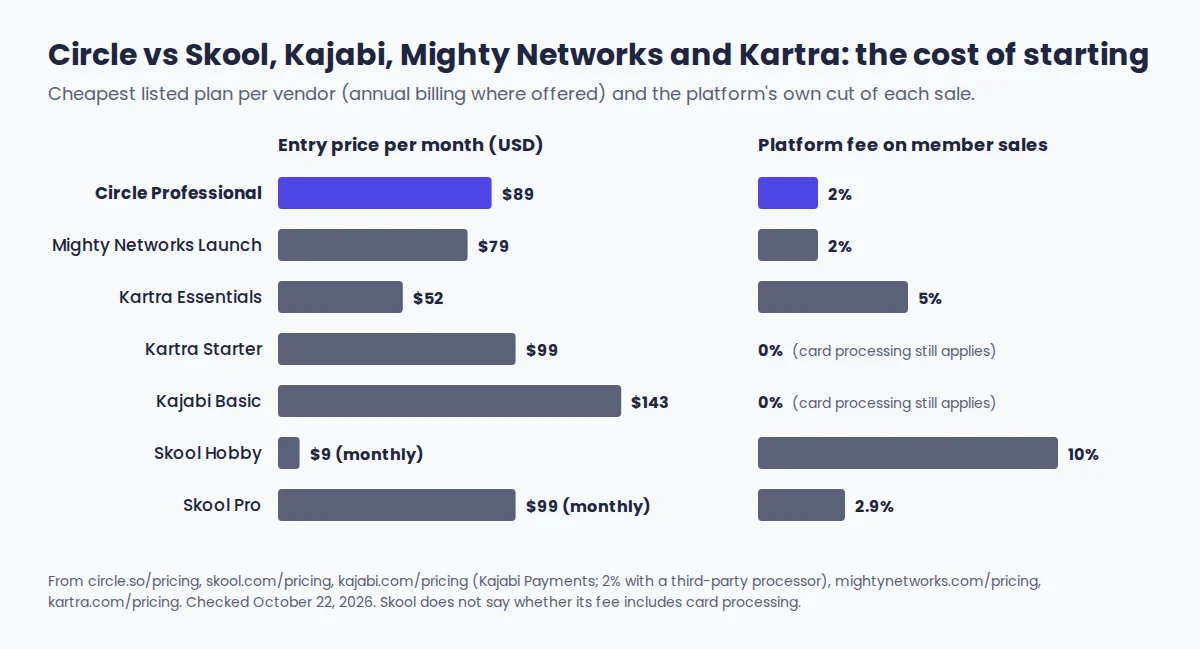
| Platform | Entry price | Platform fee at entry | Pick it over Circle when |
|---|---|---|---|
| Circle | $89/mo (annual), Professional | 2% | The community is the product and courses and live calls support it |
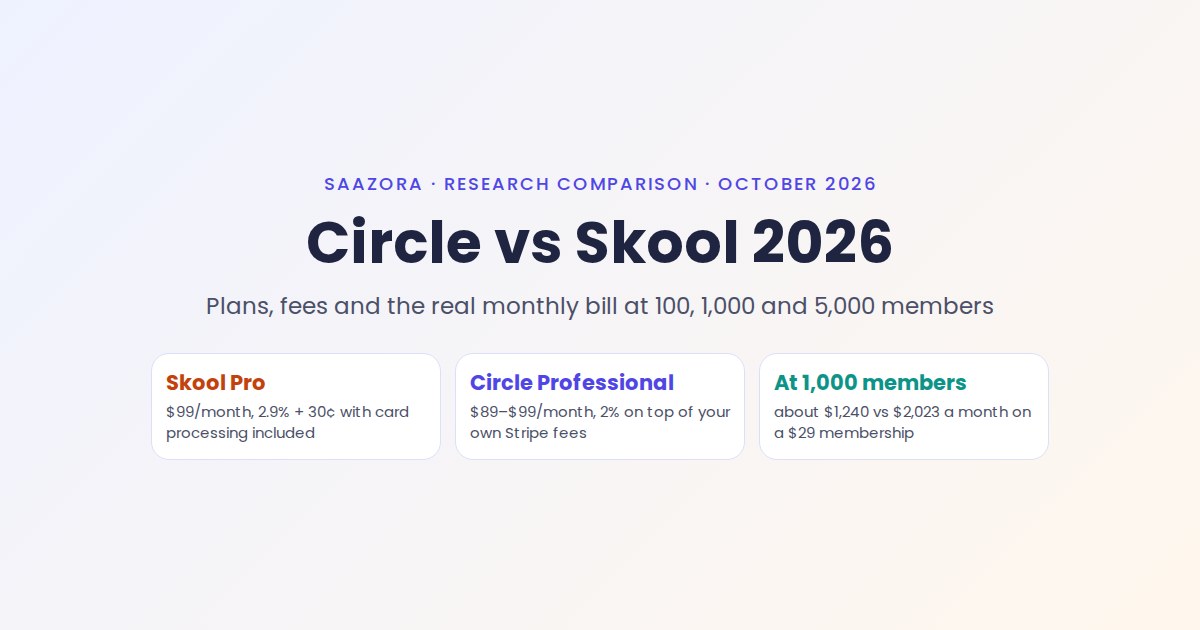
| Skool | $9/mo Hobby; $99/mo Pro | 10% Hobby; 2.9% Pro | You want the cheapest start and a simple group with unlimited courses and live calls |
| Kajabi | $143/mo (annual) or $179 monthly, Basic | No revenue share with Kajabi Payments (2.9% + $0.30 US card rate); 2% with a third-party processor | Courses, sales pages and email are the core and the community is one part of it; Basic includes 1 community and 2 admin users |
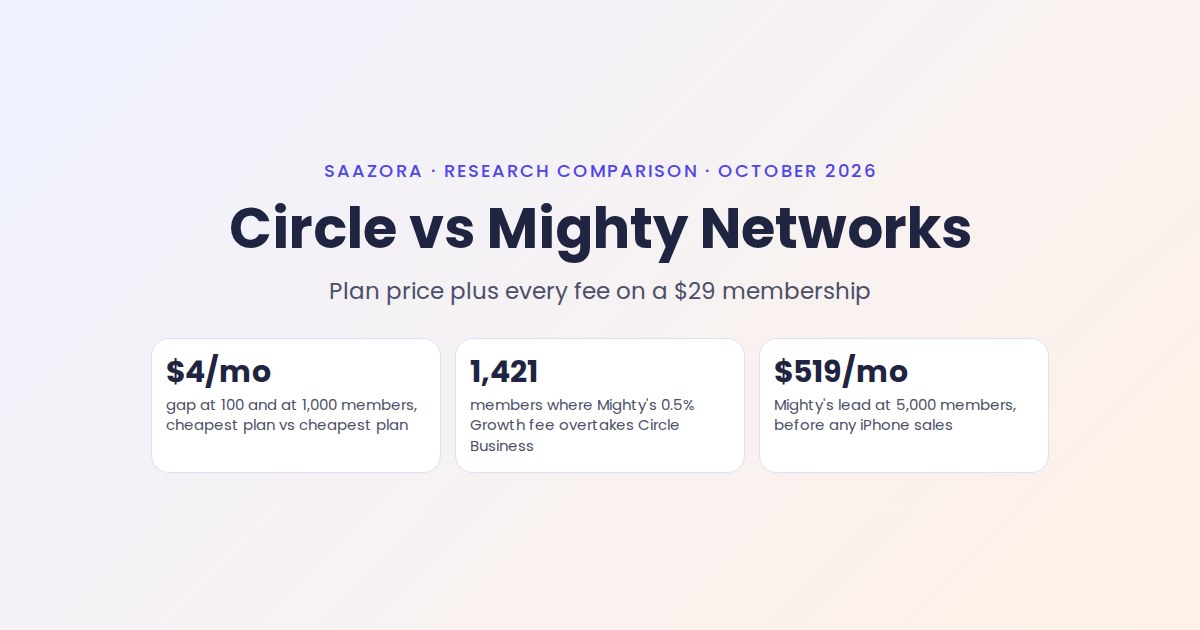
| Mighty Networks | $79/mo (annual, $950 a year), Launch | 2% (0.5% on top tiers) | You want a similar community-plus-courses product at a lower entry price; branded apps come through Mighty Pro |
| Kartra | $52/mo (annual) Essentials; $99/mo (annual) Starter | 5% Essentials; 0% Starter | Funnels, email automation and checkout matter more than member discussion |
Skool's page does not say whether its percentage includes card processing. Kajabi and Kartra monthly-billing prices are higher than the annual figures shown. Sources: skool.com/pricing, kajabi.com/pricing, mightynetworks.com/pricing, kartra.com/pricing, October 22, 2026.
Kartra is the only one of these with a deals page on Saazora so far; Kartra's current plans and offers list its trial terms. For Circle, the deciding question is whether members will talk to each other every week. If they will, Circle's spaces, live rooms and course discussion are hard to match. If your customers mostly buy, watch and leave, Kajabi or Kartra will serve the sales side better for similar money.
Circle review FAQ
Is Circle worth it for a small course business?
Yes, if students learn better together and you run live sessions; Professional at $89 a month covers four full programs with chat and events. If you sell self-paced video courses with little interaction, a course-and-funnel tool usually gives more sales features for the money.
Can members use Circle on their phones?
Yes. Circle's iOS and Android apps are included on every plan, but new members must sign up on the web first, and iOS app users finish paywall checkout in a browser. A branded app that handles both is only available on Circle Plus.
Does Circle replace Zoom for live calls?
For most communities, yes. Live rooms hold 15 to 50 people on camera depending on the plan, live streams reach 100 to 500 viewers, and replays post with transcripts. Watch the monthly live-hours cap, which is 10 hours on Professional.
Can I take my data with me if I leave?
Yes, but not with one click. Admins request a full export from Circle support and receive CSV files for members, spaces, posts, comments and events; uploaded media in posts and comments is not included, so keep your own copies of course videos and files.
How this review was researched
This Circle review is research-based. On October 22, 2026 we read Circle's pricing page, its product pages for courses, events, payments, Email Hub, AI agents, mobile, branded apps and integrations, Circle's published pricing and product reference files, and nine help center articles on courses, drip, quizzes, spaces, AI agents, email sending limits, data export, mobile features and branded apps. Circle's public G2 and Capterra listings were read the same day and are summarised as other users' views. No Circle account was opened and nothing was tested hands-on; the space and live-hour examples are arithmetic on Circle's published limits. Where Circle's own pages disagree, both versions are shown. More on Saazora's research standards.
Sources: circle.so/pricing; circle.so/courses, /events, /payments, /email-hub, /ai-agents, /mobile, /plus/branded-app, /integrations; circle.so/_llms/pricing.md and product.md; help.circle.so articles "Courses overview", "Utilizing the drip feature for structured and scheduled courses", "Set up quizzes", "Spaces overview", "Get to know AI Agents", "Understanding email sending limits", "Export your community data", "Circle features: desktop vs mobile apps", "Get to know branded apps"; G2 Circle listing; Capterra Circle reviews; skool.com/pricing; kajabi.com/pricing; mightynetworks.com/pricing; kartra.com/pricing. All checked October 22, 2026. Features and prices change; confirm on Circle's site before you buy.