
Research-based guide to the monday.com nonprofit discount, not a product test: Saazora did not apply to the program or run a nonprofit account for this article · Program terms read on monday.com's nonprofit eligibility and nonprofit pricing pages, in monday.com's Help Center and on Goodstack's nonprofit definitions page on November 13, 2026 · List prices from monday.com/pricing (US English, USD) the same day · Prices before tax · Not legal or tax advice
Some links on this page are affiliate links: Saazora may be paid if you sign up for monday.com through them, at no extra cost to you. The eligibility rules and savings math below do not depend on that.
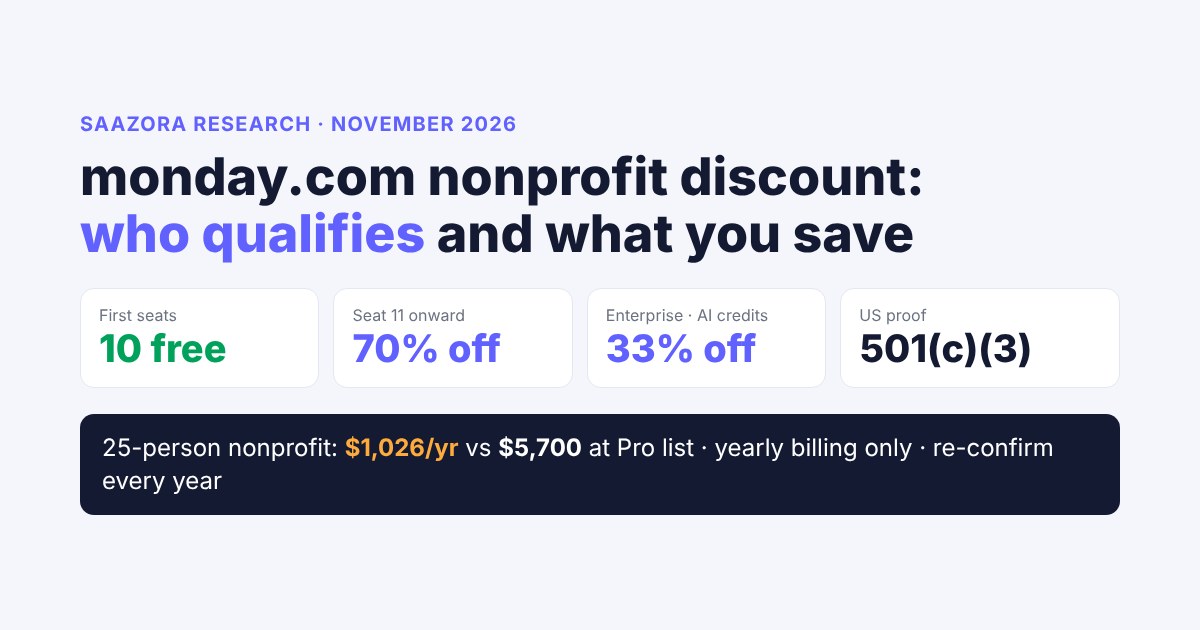
The monday.com nonprofit discount is a separate plan, not a coupon: an approved organization gets its first 10 seats free on a version of the Pro plan, then pays 70% less for every seat after that, which on November 13, 2026 worked out to $68.40 per extra seat per year (about $5.70 a month, against $19 a month on regular Pro billed yearly). The same program takes 33% off Enterprise and 33% off extra AI credits. To qualify you need legal charitable status where you are registered (in the US, IRS recognition under 501(c)(3) plus your EIN), and the check is run by a verification company called Goodstack, not by monday's sales team. Schools, hospitals, political groups, trade associations, government-run bodies and UK Community Interest Companies are excluded. The catch is in the terms: yearly billing only, eligibility re-confirmed every year, and full price if you miss it. By Saazora's math, a 25-person nonprofit pays $1,026 a year instead of $5,700 at Pro list price, and a team of 10 or fewer pays nothing for seats.
This guide is for nonprofit directors, operations leads and volunteer coordinators deciding whether to apply. It covers who is in and who is out, what the program gives and what it leaves out, the application in order, a savings table for 5, 10, 25 and 50-person teams, how the seat buckets change the bill between those sizes, and which volunteers actually need a paid seat. If you want the regular price for any other team size, our monday.com pricing calculator covers every bucket.
monday.com for nonprofits at a glance (November 13, 2026)
- Seats: first 10 free; seat 11 onward at 70% off ($68.40 a seat per year on the nonprofit pricing page).
- Plan level: a version of Pro (private boards, time tracking, formula column, 25K automation and 25K integration actions a month).
- Other discounts: 33% off Enterprise, 33% off AI credits, 70% off Pro (33% off Enterprise) for monday campaigns, automation packages and WorkCanvas.
- Who checks you: Goodstack, using each country's legal definition of a nonprofit.
- Terms: one-year subscription only, yearly re-confirmation, tax charged then refunded on request.
Every application starts from a monday.com account, and new accounts begin with a 14-day trial: open a monday.com account (affiliate link)
What the monday.com nonprofit discount actually includes
monday's Help Center article on the program lists the benefits as a table. The core line is "10 free seats on AI Work Platform, CRM, Service, and Dev on the Pro plan". Seats past that are "Extra seats beyond the 10 free seats", priced at "70% off". The plan-types article describes the result plainly: "The Nonprofit Program is a version of the Pro Plan", with the same features at a discounted or free rate.
What the monday.com Nonprofit Program gives an approved organization
Source: monday.com Help Center "monday.com for nonprofits" and monday.com/nonprofits/pricing, read November 13, 2026.
First seats
10 free
On the Pro-level nonprofit plan
Seat 11 onward
70% off
$68.40 per seat per year on the nonprofit pricing page
Enterprise
33% off
Quote-based, through monday's sales team
AI credits
33% off
Applied at checkout when you buy more credits
Add-ons
70% / 33%
monday campaigns, automation packages, WorkCanvas: 70% off Pro, 33% off Enterprise
Support
Free
24/7 chat, open consultations, Nonprofit Academy, webinars
The 70% applies to seats above the first 10. The nonprofit card does not list a monthly AI credit allowance; credits are bought separately at a discount.
On the nonprofit pricing page the plan card is simply called "Nonprofit", and it lists what you get on top of the lower plans: private boards, chart view, time tracking, the formula column, "Automations (25K actions per month)", integrations at the same 25K, and the ability to "Create a dashboard that combines 10 boards". Those are the features that push most organizations past Standard, which is why getting Pro rather than a cheaper tier matters.
Beyond software, approved organizations get free 30-minute group consultations "four times a week", a Nonprofit Academy with live courses on donor management, grant management, task and project management and volunteer management, webinars, and a Facebook community. For paid setup help, "Some certified monday experts offer 20% off their standard consulting rates."
What is not in the program
- Monthly billing. The eligibility page is direct: "You must agree to a one-year subscription with monday.com." and "we do not honor any monthly plans or discounts to monthly plans".
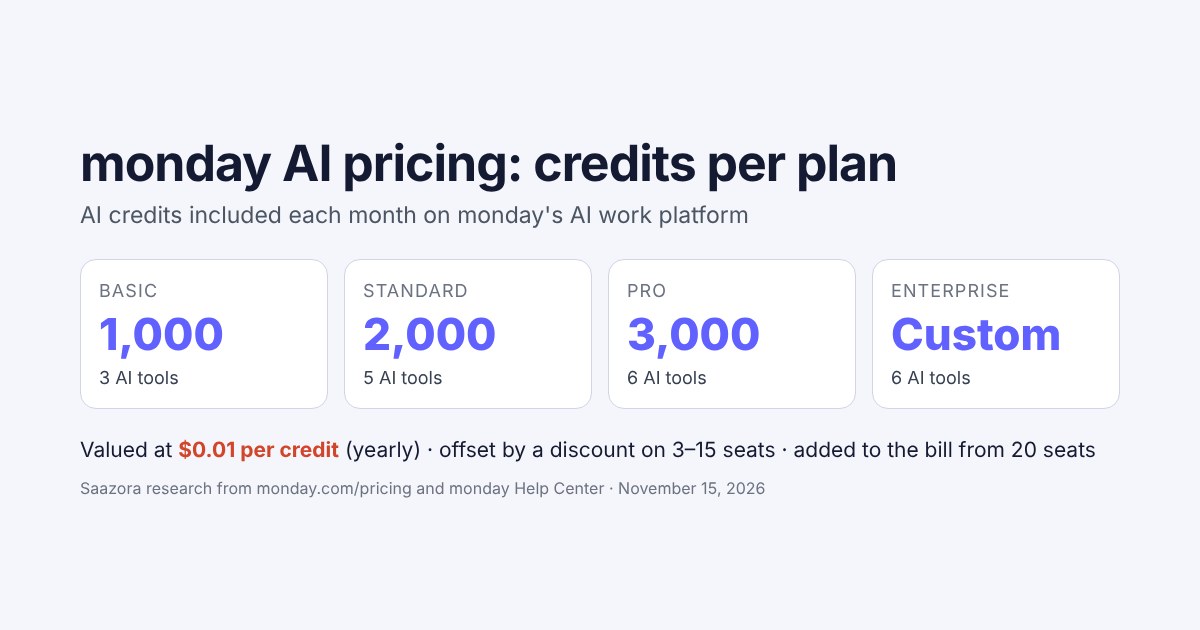
- A listed AI credit allowance. Regular Pro shows 3,000 AI credits a month on its card. The nonprofit card lists no credits; the Help Center says nonprofits can purchase AI credits at a 33% discount.
- Tax removal at checkout. "our billing processor cannot remove tax before charging you". Tax-exempt organizations pay, then ask for a refund.
- A published Enterprise price. Enterprise is 33% off, but Enterprise itself is quote-based, so there is no number to multiply until sales gives you one.
- Individuals. "Products are distributed only to qualifying organizations, not to individuals."
- Resale or transfer. Recipients may not transfer or resell the products.
Who qualifies: organizations, countries and documents
The base test on monday's eligibility page is that your organization must be "recognized as a charity, nonprofit, nongovernmental, or social change organization in the country in which you are located", and you must show legal documentation proving it. monday points applicants to Goodstack's country-by-country definitions for what counts as proof.
Goodstack's own page sets three general conditions: recognition "by the local regulator in the country where you are registered", operating on a not-for-profit basis, and operating for the public benefit. It also lists countries it does not take applications from: "Crimea, Cuba, Iran, North Korea, Sudan or Syria."
| Country | What monday's sign-up article asks for | Goodstack's definition (summary) |
|---|---|---|
| United States | "proof of 501(c)3 registration and EIN" | Tax exempt from federal income tax with the IRS under Section 501(c)(3); group-exempt organizations supply their own EIN plus proof of the group exemption number |
| United Kingdom | Charity Commission for England and Wales documentation, or a link to your current registration status | Charity Commission (England and Wales), NICC, OSCR, HMRC charity tax exemption, exempt charities or churches |
| Canada | Registered Charity or Non-Profit Organization documentation | CRA-registered charity, tax-exempt nonprofit, federal or provincial nonprofit |
| Australia | Australian Charities and Not-for-profits Commission documentation | ACNC registration, Deductible Gift Receipt status, or ATO income-tax-exempt not-for-profit |
| Other countries | Varies by country | Listed per country on Goodstack's nonprofit definitions page |
Two US details are easy to miss. First, Goodstack's US definition names only Section 501(c)(3). An organization exempt under a different subsection, such as a 501(c)(4) social welfare group or a 501(c)(6) business league, does not match that wording, and trade or business associations are excluded by monday anyway. Second, an organization covered by a group exemption (a local chapter under a national parent, for example) needs its own EIN and the paperwork showing the group exemption number. How your organization is classified under US tax law is a question for your accountant or lawyer; this page only reports what monday and Goodstack ask for, and it is not legal or tax advice.
Organizations monday excludes, even with charitable status
monday publishes an exclusion list that applies regardless of registration. In short form:
- Hospitals, health insurance organizations, group medical practices and inpatient care facilities.
- "Educational organizations such as a school, college, university, or a related organization." The "related organization" wording is broad enough that school foundations or parent groups should ask before applying.
- Economic development bodies such as Chambers of Commerce (foundations excepted), Business Improvement Districts, and trade or business associations.
- Government-managed or government-owned nonprofits without an independent board.
- Sports organizations supporting professional, paid athletes.
- Fraternal beneficiary societies and organizations that mainly provide benefits to their own members or employees.
- "Legislative and political activity organizations."
- UK Community Interest Companies (the CIC designation).
- Organizations that advocate, support or practice discrimination.
Above all of this sits a discretion clause: monday "determines eligibility at its sole discretion" and can deny an application, end participation or change the rules at any time. Meeting the written criteria makes you eligible to apply, not entitled to approval.
How to apply, step by step
The application runs through two companies. You open the account with monday, Goodstack checks your status, and monday then switches the account over. Pieced together from the two Help Center articles and the eligibility page, the order is:
- Open a monday.com account (or use the one you have). "You must have a monday.com account to apply for the Nonprofit Program." New accounts start on a 14-day trial.
- Open the validation form linked from the Help Center, pick the country where you are registered and search for your organization's name. If it is not listed, click "I can't find my nonprofit, I want to add it." and upload your registration documents.
- Enter your website and your account URL. The account URL is the address in your browser bar, in the form yourorg.monday.com.
- Confirm by email. After the form, you get an email asking you to confirm the account; the request then goes for review.
- Expect an affiliation check if you used a personal email. Goodstack may email someone else at your organization and ask them to confirm you work there. Its messages come from verifications@mail.goodstack.org.
- Wait for approval. Approval arrives as an email from Goodstack. monday then moves the account "within 2 to 3 days".
- Check the plan. In Administration, then Billing, then Overview, the plan should show the nonprofit plan, and the Upgrade screen should show discounted seat prices. You do not need to buy anything to confirm the discount is applied.
- Add seats past 10 if you need them. Administration, Directory, Users, then Upgrade now: choose how many seats to add on top of the free 10 and select Nonprofit. A pricing summary appears before you pay.
From sign-up to nonprofit plan: who does what
Order and timings as described in monday.com's Help Center and nonprofit eligibility page, November 13, 2026.
1 · You
Day 0
Open a monday.com account. The 14-day trial starts.
2 · Goodstack
Review
Find or add your organization, upload proof, confirm by email. Possible check with a colleague.
3 · monday
2 to 3 days after approval
Account moved to the nonprofit plan; discounted seats shown under Upgrade.
4 · You, every year
Before renewal
Re-confirm eligibility, or the subscription bills at full price.
If Goodstack denies the application, the appeal also goes through Goodstack, with a first reply expected within 48 hours.
Two timing points follow from monday's own wording. Apply early in the trial, because approval needs Goodstack's review plus a 2-to-3-day switch, and the trial lasts 14 days. And apply before you pay for a regular plan if you can. The eligibility page says "We do not offer refunds for subscription fees paid prior to being approved for the monday.com for Nonprofits Program." The Help Center is softer for previously paying accounts: after approval you consent by email to cancel the paid plan, and "If your account qualifies for a refund, it will be issued according to the refund policy", which for first purchases means a written request within 30 days for a prorated refund. Do not count on getting money back for a plan you bought before approval.
If you are already paying for monday.com
Approval triggers an email from nonprofits@monday.com asking you to agree to move to the nonprofit plan. You reply through support confirming you consent to cancel the current paid plan; monday says the change will not affect your account data. If the form had the wrong account URL, the switch does not happen automatically, and you will get an email asking you to contact support with the right account name.
What you save: 5, 10, 25 and 50-person nonprofits
The fair comparison is regular Pro, because the nonprofit plan is a version of Pro. On November 13, 2026 monday.com/pricing showed Pro work management at $19 a seat per month billed yearly and $24 billed monthly. The nonprofit pricing page showed $0 for up to 10 seats and $68.40 per seat per year for the seats above 10. The table multiplies those numbers out; it compares seat prices only.
| Team size | Seats you pay for | Nonprofit cost per year | Pro list price per year (billed yearly) | Saving per year | Saving | Pro list, billed monthly, per year |
|---|---|---|---|---|---|---|
| 5 people | 0 | $0 | $1,140 | $1,140 | 100% | $1,440 |
| 10 people | 0 | $0 | $2,280 | $2,280 | 100% | $2,880 |
| 25 people | 15 | $1,026 | $5,700 | $4,674 | 82% | $7,200 |
| 50 people | 40 | $2,736 | $11,400 (seat math; monday quotes 50+) | $8,664 | 76% | $14,400 |
Saazora arithmetic. Nonprofit costs are the yearly totals shown on monday.com/nonprofits/pricing for each team size. Pro list = seats × $19 × 12 (yearly) or seats × $24 × 12 (monthly). For 20 or more seats the regular Pro card adds a $30 a month AI credits line ($505 a month shown for 25 seats); the table leaves it out because the nonprofit card lists no credit allowance. Regular Pro shows "Get a quote" at 50 seats, so the 50-seat list figure is seat math at the published per-seat rate, not a monday quote.
Yearly seat cost: regular Pro vs the nonprofit plan
Pro billed yearly at $19 a seat per month vs nonprofit totals from monday.com/nonprofits/pricing, November 13, 2026.
Regular Pro, billed yearlyNonprofit plan
5 people · Pro $1,140 vs nonprofit $0
10 people · Pro $2,280 vs nonprofit $0
25 people · Pro $5,700 vs nonprofit $1,026
50 people · Pro $11,400 vs nonprofit $2,736
Saazora arithmetic, seat prices only, before tax. 50-seat Pro is seat math; monday quotes 50 seats and up.
Two things stand out. First, the nonprofit plan is cheaper than regular Basic at every size in the table: Basic at $9 a seat billed yearly costs $2,700 a year for 25 seats and $5,400 for 50 (seat math), against $1,026 and $2,736 on the nonprofit plan. An approved organization has no price reason to settle for a lower tier. Second, the per-person cost stays low as you grow, because 10 seats stay free: about $3.42 a person per month at 25 people and $4.56 at 50.
If you are comparing against what you pay now on a regular plan, check the current per-seat rates on monday.com's pricing page (affiliate link) before you apply, since the nonprofit seat price is pegged to regular Pro.
Between the sizes: how the seat buckets change the bill
The eligibility page says "Additional seats are only available in lots of 5 seats." The team-size menu on the nonprofit pricing page works the same way, with one exception: its first paid option is 13 seats, which is 3 paid seats, not 5. The sizes offered on November 13, 2026 were:
| People who need a seat | Nonprofit option to buy | Paid seats | Yearly total shown |
|---|---|---|---|
| 11 to 13 | 13 seats | 3 | $205.20 |
| 14 to 15 | 15 seats | 5 | $342 |
| 16 to 20 | 20 seats | 10 | $684 |
| 21 to 25 | 25 seats | 15 | $1,026 |
| 26 to 30 | 30 seats | 20 | $1,368 |
| 31 to 40 | 40 seats | 30 | $2,052 |
| 41 to 50 | 50 seats | 40 | $2,736 |
| 51 or more | 100 or 200+ seats | n/a | "Contact us" |
So an 11-person team pays $205.20 a year, but a 16-person team pays for the 20-seat option: $684, the same as a 20-person team. If your headcount sits just over a bucket line, the cheaper move is often turning a few occasional users into viewers or form submitters rather than buying the next bucket. That depends on how your volunteers actually work, which is the next question.
If you also run monday CRM
The free seats are listed across "AI Work Platform, CRM, Service, and Dev". Regular monday CRM Pro was $28 a seat per month billed yearly on November 13, 2026, so 10 CRM Pro seats would cost $3,360 a year at list price. monday does not spell out on these pages whether the 10 free seats are counted per product or shared across products, and the nonprofit pricing page shows only one Nonprofit card. If donor management in monday CRM is part of your plan, ask monday to confirm how the 10 seats apply before you rely on that number. Our monday CRM pricing guide has the regular CRM rates.
Volunteers and seats: who needs one and who doesn't
For most nonprofits the seat count is driven by volunteers, not staff. monday's user types decide who uses a paid seat:
- Members can create and edit boards and items. Each member uses a seat. A volunteer lead who updates the shift board is a member.
- Viewers are read-only. "You can invite an unlimited number of viewers, regardless of your plan. Viewers do not count toward billing." A volunteer who only needs to see the schedule can be a viewer. Viewers cannot edit items or post updates.
- Form respondents need no account. A board's Forms view turns it into a form, and answers "roll in as new items". Volunteer sign-ups, availability and incident reports can come in this way without a seat.
- Guests are defined by monday as people "external to your organization", such as clients, vendors, freelancers or consultants, and they must use a different email domain. Pro allows unlimited guests. monday's pages do not say whether volunteers count as external, so do not plan your seat count around making volunteers guests without asking monday first.
A workable pattern for a volunteer program: staff and shift leads as members (often within the free 10), the wider volunteer pool as viewers for schedules, and every sign-up or hours log through a form. The Nonprofit Academy's volunteer management course covers this kind of setup, and approved organizations can take it for free.
Scheduling is one part of volunteer coordination; screening is another. monday.com does not run background checks. If your volunteers work with children or vulnerable adults, our guide to background checks for nonprofits and volunteers covers the federal rules and per-volunteer costs.
The fine print: renewals, tax and case studies
Yearly re-confirmation. "To continue to receive your discount after the initial year of your subscription, monday.com requires you to reconfirm your eligibility each year." If you miss it or no longer qualify, "you will be charged the full service price", unless you cancel before the end of the subscription year. For an organization with 25 or more people, that is the difference between about $1,000 and several thousand dollars. Put the renewal date in the board calendar the day you are approved.
Tax-exempt refunds, every time. Tax is charged at purchase. To get it back you email support with the subject "Tax Exempt - Seeking Tax Refund", your invoice number and your exemption documents, and you have to do this "each time you make a purchase, including renewals and plan upgrades".
Payment method. Discounted rates are paid on monday's website by "A credit card, PayPal account, or wire transfer (above 7,000 USD payment)".
Case study request. The eligibility page adds: "We ask recipient organizations to provide information to monday.com for the purposes of creating a case study or testimonial that can benefit other nonprofits." It is phrased as a request; check with your board if public testimonials need approval.
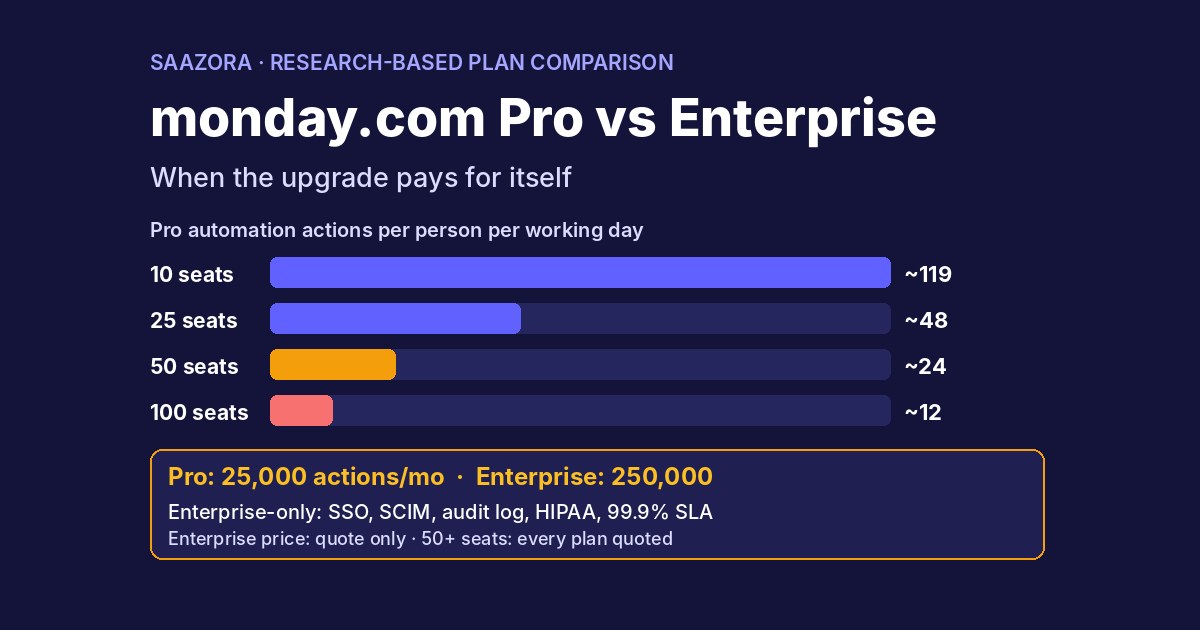
Enterprise. If you need Enterprise-only controls (multi-level permissions, advanced governance), the nonprofit rate is 33% off a quoted price. Our monday.com Pro vs Enterprise comparison lists what Enterprise adds, which helps decide whether the free Pro seats already cover you.
Where monday's nonprofit pages disagree
Reading the eligibility page, the nonprofit pricing page and two Help Center articles side by side turned up three mismatches:
- Seat lots. The eligibility page says extra seats come only in lots of 5; the pricing menu offers 13 seats (3 paid). Saazora used the menu totals.
- Plan name after approval. The main nonprofit article says the plan displays as "Nonprofit - Pro"; the sign-up article says it will appear as "Free for all products". Either should mean the switch worked; the discounted seat price under Upgrade is the clearer check.
- Refunds for earlier payments. The eligibility page rules out refunds of fees paid before approval; the Help Center says a refund follows the standard refund policy if the account qualifies. Treat the stricter wording as the safe assumption.
Is the monday.com nonprofit discount worth applying for?
For a registered charity with up to 10 people who need to edit, yes, with little downside: the software cost for seats drops to $0 on a Pro-level plan. For 11 to 50 people it still cuts the seat bill by roughly three-quarters or more against regular Pro, and it costs less than regular Basic. The program is a poor fit if your organization is on the exclusion list, cannot commit to yearly billing, or depends heavily on monday's AI features, which are not bundled the same way as on regular Pro. And whatever you decide, the yearly re-confirmation is the date that decides whether next year's bill is small or full price.
monday.com nonprofit discount FAQ
Is monday.com free for nonprofits?
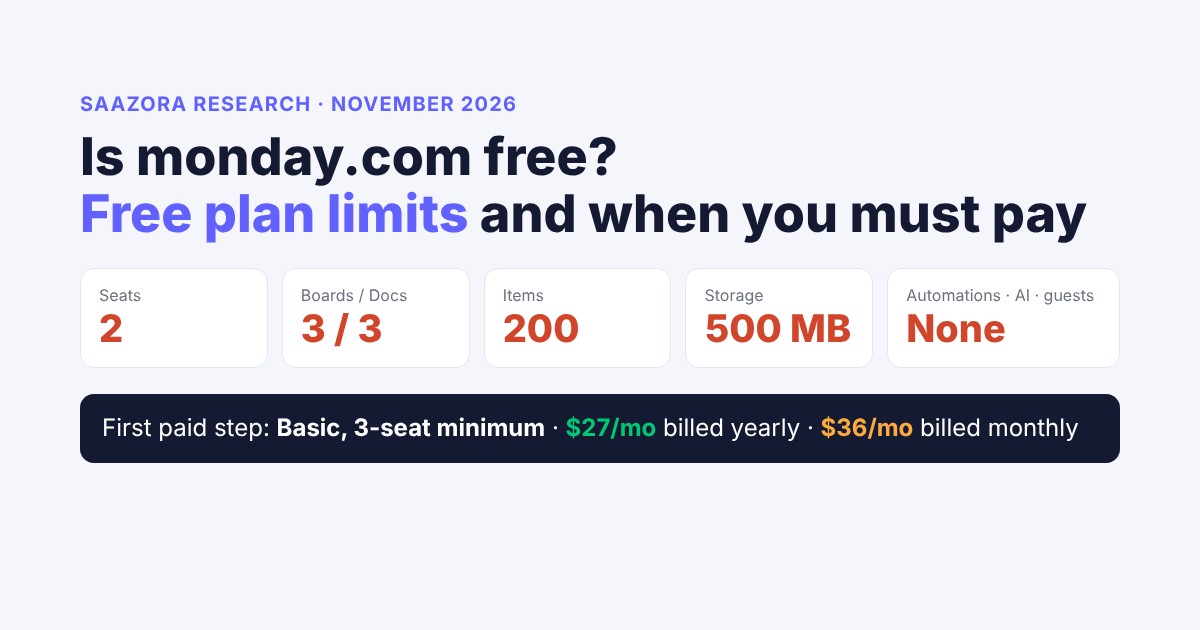
For up to 10 seats, yes, if you are approved. The nonprofit plan gives the first 10 seats free on a version of Pro; seats beyond that are 70% off. Organizations that are not approved can still use monday's regular Free plan, which is limited to 2 seats.
Do I need 501(c)(3) status to get the discount in the US?
Yes, according to monday's sign-up article, which asks US applicants for proof of 501(c)(3) registration and an EIN, and Goodstack's US definition, which names Section 501(c)(3). Outside the US, a similar registration with your country's regulator is required.
Can schools or universities get the monday.com nonprofit discount?
No. Schools, colleges, universities and related organizations are on monday's exclusion list, even if they hold charitable status.
Can we pay monthly on the nonprofit plan?
No. The program requires a one-year subscription and does not apply to monthly plans.
How long does approval take?
monday does not publish Goodstack's review time. After Goodstack's approval email, monday says it moves the account within 2 to 3 days. Appeals of a denial get a first reply from Goodstack within 48 hours.
What happens after the first year?
You have to re-confirm eligibility each year. If you don't, the subscription renews at full price unless you cancel before the year ends.
Do AI features come with the nonprofit plan?
The nonprofit card does not list a monthly AI credit allowance. Nonprofits can buy AI credits at 33% off from AI Governance, Credit Usage, Buy more credits. For what credits cost and how many each regular plan includes, see our monday AI pricing guide.
Is there a monday.com nonprofit promo code?
No code is involved. The discount is applied to the account after Goodstack approves the organization.
How we researched this
On November 13, 2026, Saazora loaded monday.com's nonprofit pages (overview, eligibility and pricing) and monday.com/pricing in a US-English browser session (USD), recorded the nonprofit price for every team-size option in the menu, and recorded regular Pro, Standard and Basic prices for work management and monday CRM at each seat count. monday's Help Center articles on the Nonprofit Program, signing up for the nonprofit plan, plan types, user types, guest pricing, AI credits, refund eligibility and the Free plan were read the same day through the Help Center's public article feed, because the article pages sit behind a bot check. Goodstack's nonprofit definitions page was read for the country rules. The savings table, per-person costs and bucket analysis are Saazora's own arithmetic from those published numbers. Saazora did not apply to the program, and neither monday.com nor Goodstack reviewed this article. See how we review software, and for monday's current deals, the monday.com store page.
Sources (read November 13, 2026): monday.com nonprofit eligibility guidelines; monday.com nonprofit pricing; monday.com for nonprofits; monday.com pricing; monday.com for nonprofits (Help Center); How to sign up for the nonprofit plan; Available plan types on monday AI work platform; User types explained; Pricing for guests; Refund eligibility; Goodstack nonprofit definitions.
Research-based guide: Saazora read monday.com's and Goodstack's own pages and did not apply to the program. Eligibility rules and prices change, and monday decides eligibility at its own discretion. This is not legal or tax advice.